
View Markdown
Render Engine
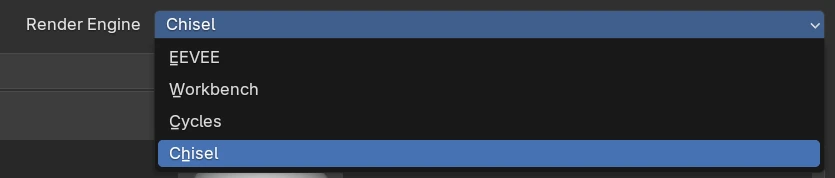
Chisel has its own render engine. It draws Chisel shapes on the graphics card from their exact shape rather than from triangles, so surfaces stay smooth at any zoom.
Render Engine
| Control | What it does |
|---|---|
| Render Engine | Blender’s engine list in Properties ▸ Render. The engine is set per scene. |
| Chisel | The Chisel engine. Every scene with Chisel shapes needs it. |
The first frame after you switch to Chisel waits while its shaders compile; see Shader compilation.
Viewport shading
| Shading | What you see |
|---|---|
| Material Preview | Chisel shapes shaded with the scene matcap, each tinted by its material colour. |
| Rendered | The same shapes over the World’s Viewport Display colour: the look of an F12 render. |
| Solid, Wireframe | Blender’s drawing of the proxy meshes, not the Chisel surface. |
Blender’s overlays, gizmos and grease pencil draw on top as usual. Plain meshes, such as the startup cube, are not drawn in Material Preview or Rendered: only their selection outline shows.
Render panels
With Chisel chosen, Properties ▸ Render shows these panels, top to bottom:
| Panel | What it holds |
|---|---|
| Matcap | The matcap, its specular layer and a tint |
| Quality | Steps, hit threshold, max distance, viewport resolution, detail size |
| Performance | Auto Cell Size and the faster picture while you move |
| Display | How new targets look, Render Region, proxy meshes, mesh-SDF storage |
| Gizmos | A switch for every gizmo |
| Bake | Normal, mask, height and diffuse maps |
Blender’s own Simplify, Grease Pencil, Freestyle and Color Management panels sit between them; Chisel does not use them. F12 Render has no panel of its own.
Speed
- Use Vulkan. OpenGL is much slower.
- Lower Resolution (Quality) before Max Steps, and Min Resolution (Performance) for smoother orbits.
- Lower Subdivision Level before raising World Cell Size when booleans slow a scene down.
7 items under this folder.