
View Markdown
Render Engine
Chisel ships a custom GPU ray-marching engine. It evaluates SDFs directly per pixel: no triangulation, no LOD, mathematically exact surfaces at any zoom. Settings live in the Render Properties panel under the Chisel section.
Activate the engine
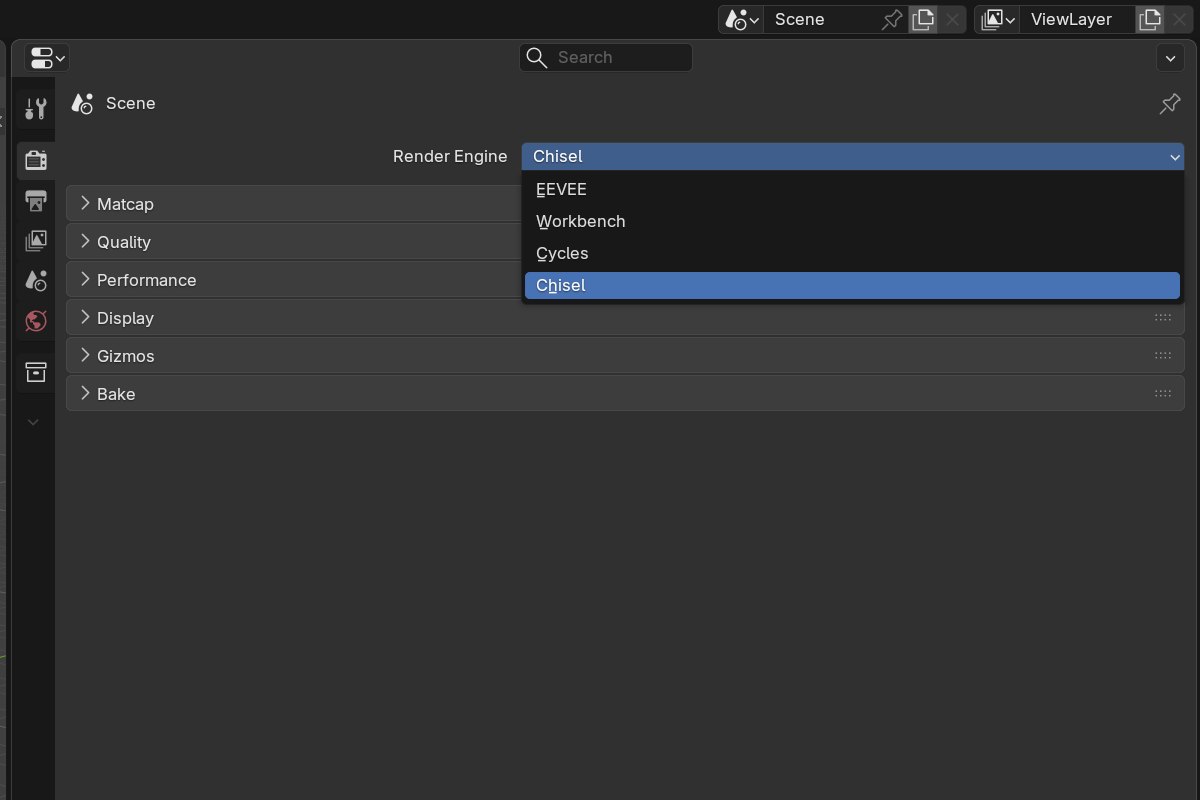
The render engine is set per scene. In each scene where you want to use Chisel, open Render Properties and switch Render Engine to Chisel, then put the 3D viewport into Material Preview shading. The Chisel engine renders SDF objects via raymarching while leaving the rest of Blender’s pipeline (overlays, gizmos, grease pencil) untouched.
The first frame after activation pauses while shaders compile, see the first-run shader compilation note.
Topics
- Quality: ray-march steps, hit threshold, max distance, render resolution, brick detail and Subdivision Level
- Performance: Auto Cell Size, progressive refinement rungs, cached camera navigation, incremental brick bakes
- Matcap: built-in matcap library, color tint, specular layer
- Display: outline mode, show bounds, render region, proxy mesh for EEVEE/Cycles, mesh-SDF storage
- Gizmos: in-viewport gizmo overlay toggles (arcs, modifier dots, Ngon, Sweep, Lattice and Bisect handles)
- Baking: bake normal, height, mask, and diffuse maps directly from SDF
- F12 Render: render the SDF scene through the active camera to the Render Result
Performance tips
- Use Vulkan. OpenGL is significantly slower for both compilation and runtime.
- Lower Min Resolution for buttery orbit on dense scenes. Progressive refinement holds your Target FPS automatically and climbs back to full quality when you stop.
- Leave Auto Cell Size on. It keeps detail, and cost, the same for a 10 cm knob and a 10 m hull.
- Lower Subdivision Level before World Cell Size if a boolean-heavy scene gets slow; it only touches the bricks around the booleans.
- Increase Max Steps only when silhouettes look chunky; the default is enough for most scenes.
- Enable the proxy mode if you need accurate snapping or want EEVEE/Cycles renders alongside Chisel viewports.
- Reduce Resolution before Max Steps: resolution gives you the biggest speedup with the least visible quality loss.
7 items under this folder.