
Material Panel
The Chisel Material panel in Material Properties gives the active Chisel shape its colour, and edits its node tree in place. It shows while the render engine is Chisel.
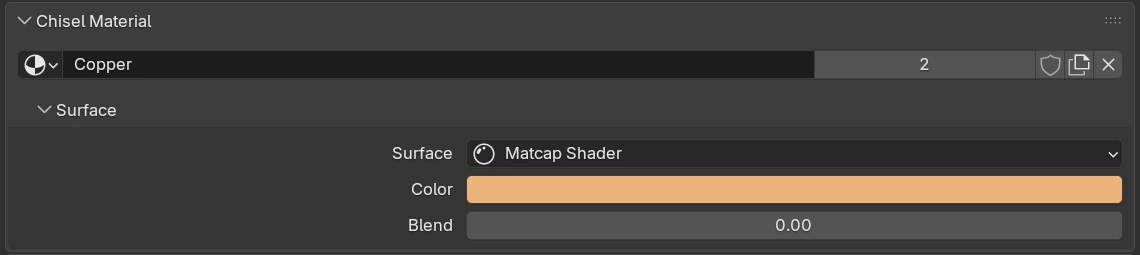
Chisel Material
| Control | What it does |
|---|---|
| Browse | Pick an existing material from the file. |
| Name | The material’s name. Double-click to rename. |
| Users | How many users the material has. Click it to make a single-user copy for this object. |
| Fake user | Keep the material in the file even when nothing uses it. |
| New Chisel Material | With no material, make one with the default tree (a Matcap Shader into the Material Output). With a material set, it only adds that tree if the material has none; it does not make a copy. |
| Unlink | Remove the material from the object. The shape renders in the default grey. |
| Surface | The shader behind the Material Output: Matcap Shader or Mix Shader. Picking one rewires the tree. |
| Color | The Matcap Shader’s colour, multiplied into the matcap. |
| Blend | How far this colour bleeds into a neighbouring shape across a seam, in world units. Default 0. |
Colours show in Material Preview and Rendered shading, not in Solid.
Create Node Tree
A material made outside Chisel has no node tree. The panel then shows a single colour:

| Control | What it does |
|---|---|
| Color | The shape’s colour, multiplied into the matcap. Default 0.8, 0.8, 0.8. |
| Create Node Tree | Build the default tree and show the Surface sub-panel. The new Matcap Shader starts at grey 0.8; the colour set here is not carried over. |
Mix Shader
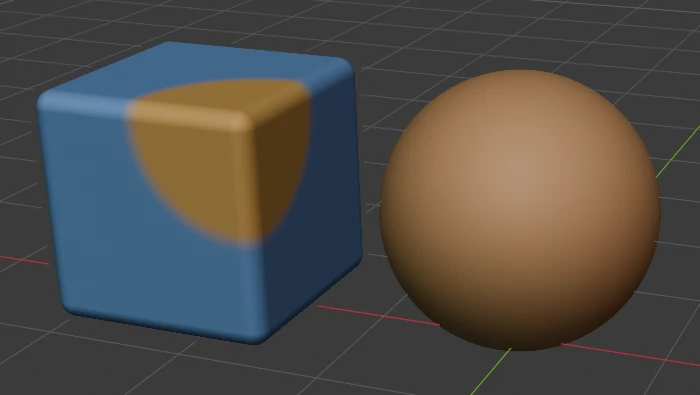
With Surface set to Mix Shader, a second shader shows wherever another Chisel object is:
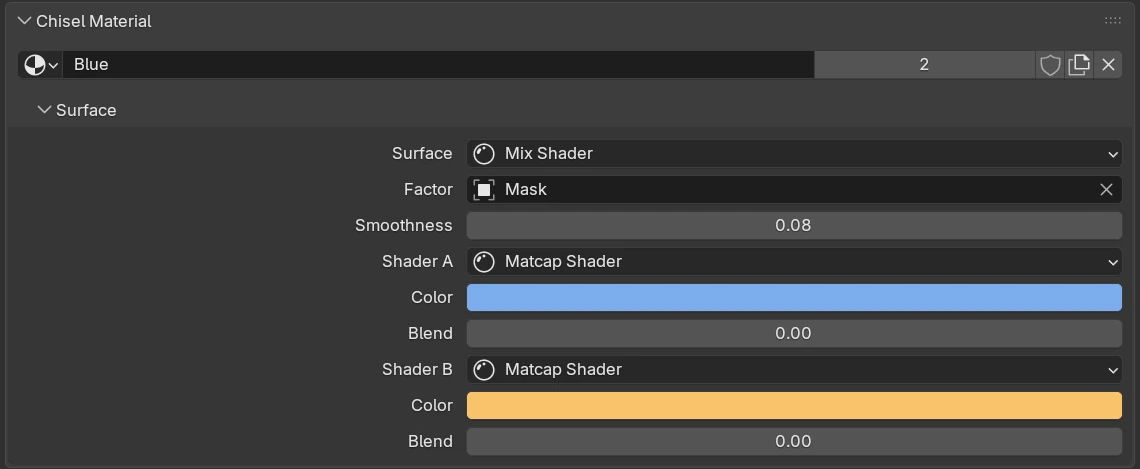
| Control | What it does |
|---|---|
| Surface | Mix Shader: two shaders blended by a field. |
| Factor | The Chisel object whose shape paints Shader B (a Field node). |
| Smoothness | Width of the soft edge between the two shaders. Default 0.02. |
| Shader A | The base shader: the object’s own colour. |
| Color | Shader A’s colour. |
| Blend | Shader A’s colour-bleed width. |
| Shader B | The shader shown inside the Factor object. Must be a Matcap Shader for the mask to show. |
| Color | Shader B’s colour. |
| Blend | Shader B’s colour-bleed width. |
Each shader slot has its own dropdown, so a slot can hold another Mix Shader. A tree nested deeper than the panel can show reads Deeper nodes: edit in the Node Editor. The Factor object usually has Render off and is hidden, so only its shape paints; moving it moves the painted area.
Use Slot Material Instead
Chisel renders the material in this panel, not the one in Blender’s material slot. When the slot holds a different material, the panel says so:
Object slot holds: Brass Chisel renders the material above, not this.
Use “Brass” Instead makes the slot material the Chisel material.
Wider colour seams
A smooth boolean blends the colours across its seam by itself. Raise Blend on both materials, or Material Blend on the Boolean, to widen the colour seam beyond the geometry.
Limits
Keyframed material values do not animate
Chisel uses the value from your last edit of the material on every frame, in the viewport and in F12 renders.
- A Carve pocket always keeps the host’s material.