
Gizmo Settings
The Gizmos panel in Render Properties holds every switch for what Chisel draws over the viewport, in five groups: Tape Tree, Outlines and Origins, Modifiers, Shapes and Arcs. It is closed by default and shows only while the render engine is Chisel.
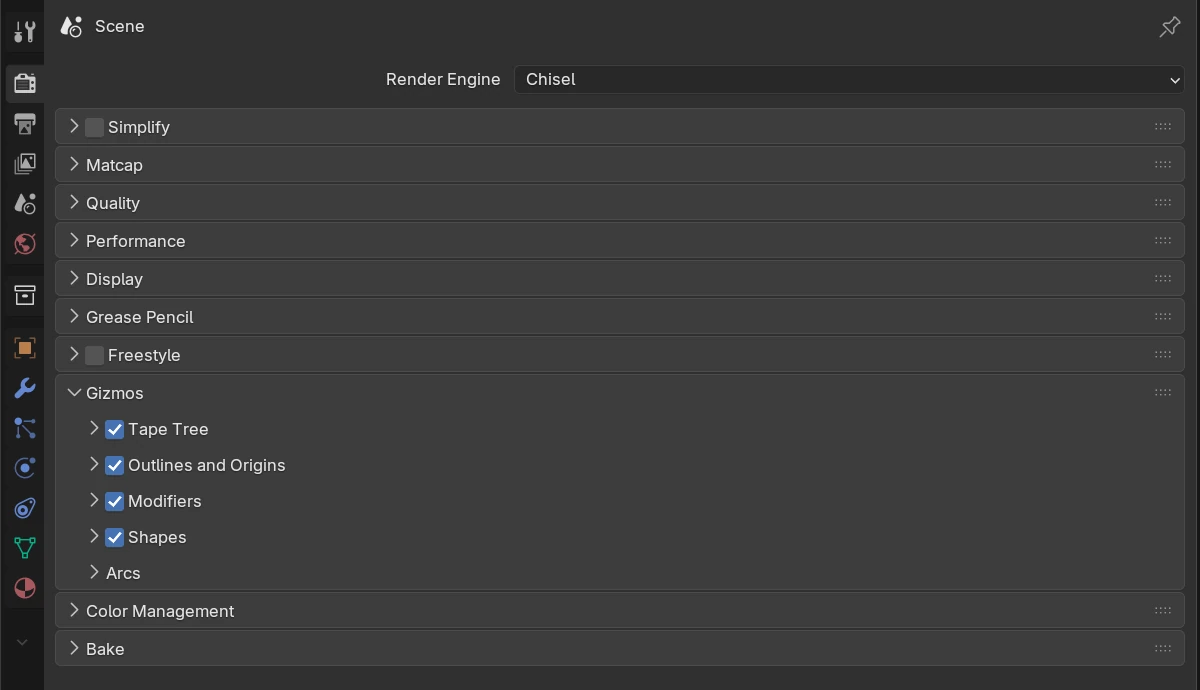
The groups match the Chisel Gizmos drop-down on the Chisel tool’s header (Tool bar switches), and a group’s header checkbox is the same switch as its tool bar icon: unticked, every family inside is hidden and its sub-panels are greyed out. The Active Object and Chisel Tool gates are only here.
Visibility gates
Every family except the Tape tree has two checkboxes under Gate On. A family draws only when both of its ticked gates are met:
| Active Object | Chisel Tool | Family draws when |
|---|---|---|
| off | off | always |
| off | on | the Chisel tool is active |
| on | off | Blender’s Show Gizmo ▸ Active Object is on |
| on | on | both of the above |
Arcs has both gates on by default; every other family has only Chisel Tool on.
Tape Tree
The header checkbox shows or hides the Tape tree, the scene’s stacks drawn as text in the top left of the viewport. It has no gates.
Outlines and Origins
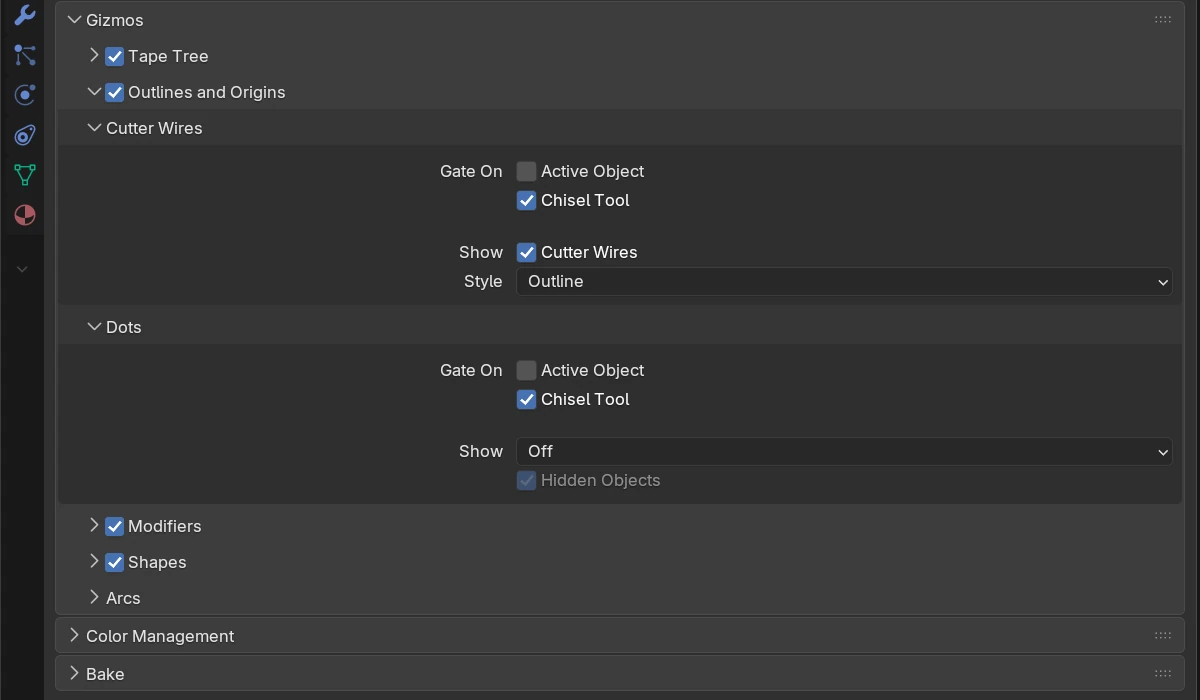
| Control | Default | What it does |
|---|---|---|
| Outlines and Origins (header checkbox) | on | Shows or hides both families below |
| Cutter Wires (sub-panel) | The cutter outlines on every visible shape that does not render | |
| Gate On: Active Object | off | See Visibility gates |
| Gate On: Chisel Tool | on | See Visibility gates |
| Show: Cutter Wires | on | The outlines themselves |
| Style | Outline | Outline: the silhouette as seen from the view. Wire: every edge of a simple wire, the far side included |
| Dots (sub-panel) | Target dots at each modifier target’s origin | |
| Gate On: Active Object, Chisel Tool | off, on | As above, for the dots |
| Show | Off | Active: the active shape’s targets, while it is also selected. Selected: every selected shape’s targets. Off: no dots |
| Hidden Objects | on | Keep a dot on targets hidden in the viewport (H, Veil, Disable in Viewports, a hidden collection, outside the local view). Greyed out while Show is Off |
Modifiers
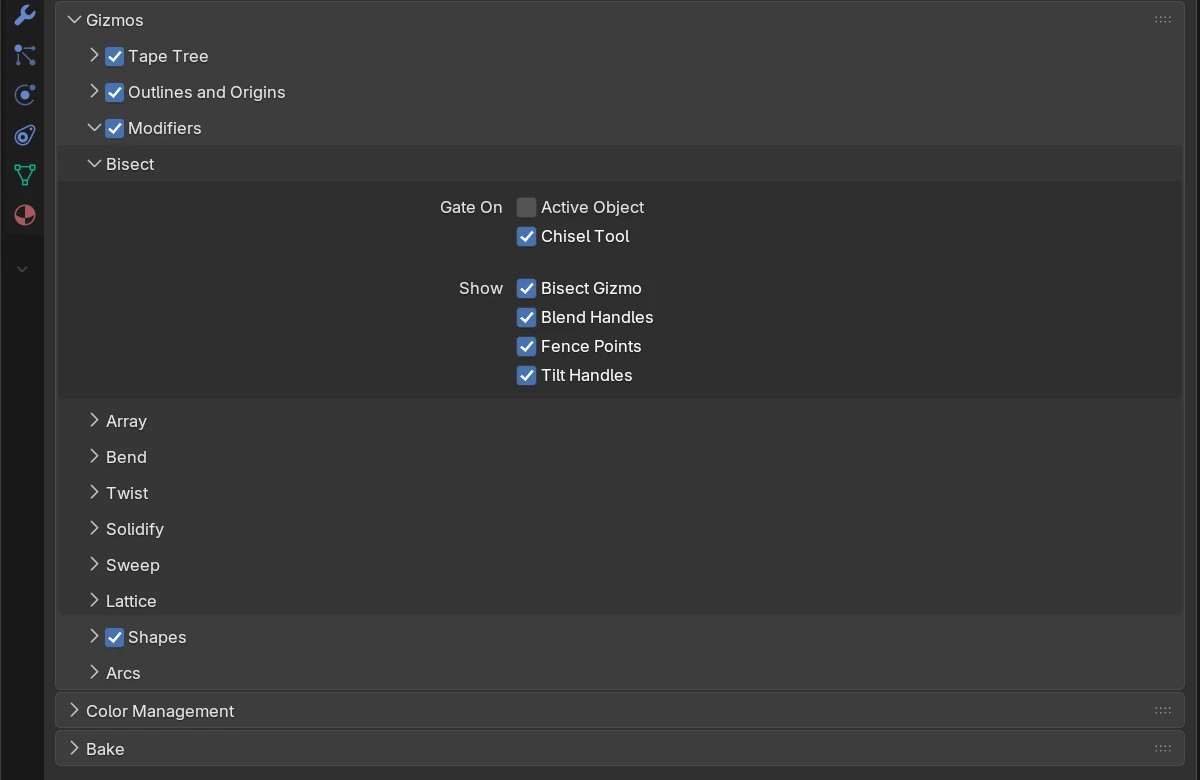
| Control | Default | What it does |
|---|---|---|
| Modifiers (header checkbox) | on | Shows or hides every modifier family below |
| Bisect (sub-panel) | The Bisect handles | |
| Gate On: Active Object, Chisel Tool | off, on | See Visibility gates |
| Show: Bisect Gizmo | on | The arrow on every cutting plane, and the three parts below |
| Blend Handles | on | The orange dot beside each plane (the cut-edge blend) and the one off every fence corner |
| Fence Points | on | A dot on every point of a fence, and the green dots that add a point |
| Tilt Handles | on | The two white rings that tilt a single plane |
| Array (sub-panel) | Gates, then Array Gizmo: the Array handles | |
| Bend (sub-panel) | Gates, then Bend Gizmo: the Bend handles | |
| Twist (sub-panel) | Gates, then Twist Gizmo: the Twist handles | |
| Solidify (sub-panel) | Gates, then Solidify Gizmo: the thickness dot | |
| Sweep (sub-panel) | Gates, then Sweep Gizmo: the path handles | |
| Lattice (sub-panel) | Gates, then Lattice Gizmo: the cage |
Shapes
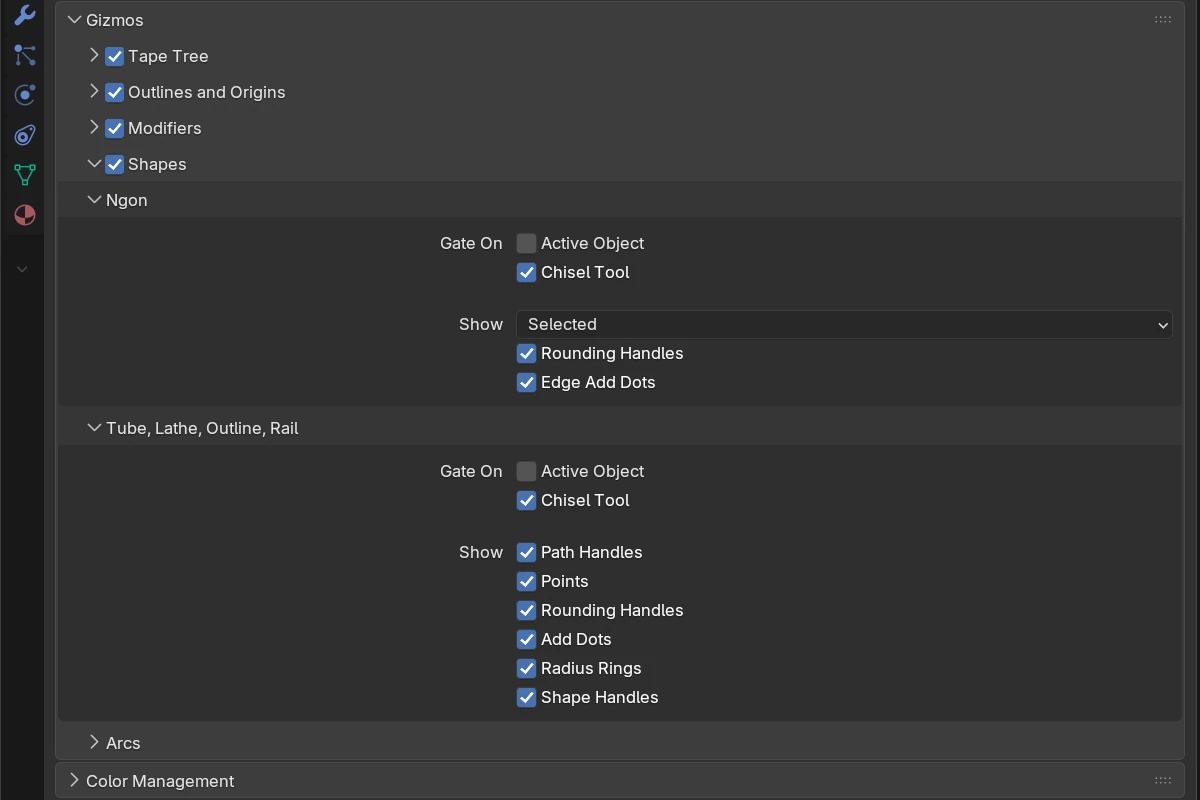
| Control | Default | What it does |
|---|---|---|
| Shapes (header checkbox) | on | Shows or hides both families below |
| Ngon (sub-panel) | The Ngon handles | |
| Gate On: Active Object, Chisel Tool | off, on | See Visibility gates |
| Show | Selected | Active: the active Ngon, while it is also selected. Selected: every selected Ngon. Off: none |
| Rounding Handles | on | The orange handle beside each corner |
| Edge Add Dots | on | The green dot at an edge’s middle when the cursor comes near |
| Tube, Lathe, Outline, Rail (sub-panel) | The handles of the path shapes | |
| Gate On: Active Object, Chisel Tool | off, on | See Visibility gates |
| Show: Path Handles | on | The parts below |
| Points | on | A dot on every point, the selected point’s two handles and the path’s line |
| Rounding Handles | on | The orange handle beside each Corner point |
| Add Dots | on | The green dots that add a point on a span or past an open end |
| Radius Rings | on | The ring round each point of a Tube or a Rail |
| Shape Handles | on | An Outline’s Depth dot, a Lathe’s angle dial and its Solid / Hollow button |
Arcs
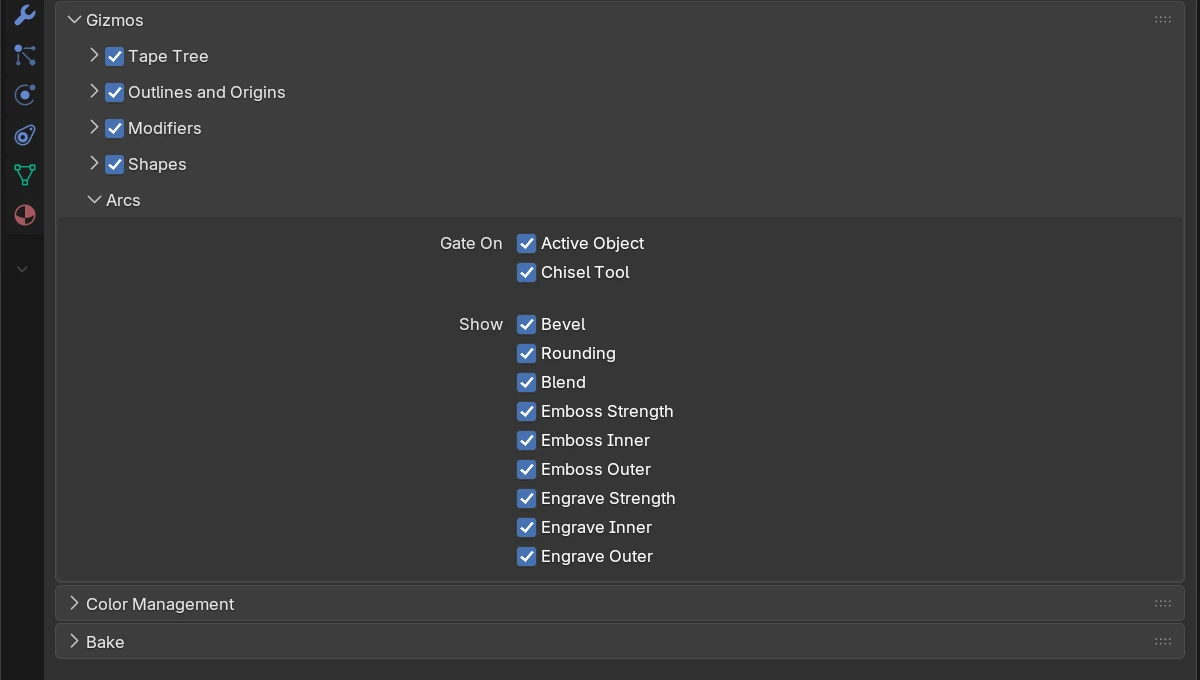
The adjust arcs. No tool bar icon covers them.
| Control | Default | What it does |
|---|---|---|
| Gate On: Active Object | on | See Visibility gates |
| Gate On: Chisel Tool | on | See Visibility gates |
| Bevel | on | The bevel arc (Prism, Trapezoid, Oblong, and every corner of an Ngon) |
| Rounding | on | The edge rounding arc |
| Blend | on | The blend of every modifier that uses the selection |
| Emboss Strength, Inner, Outer | on | The emboss depth arc and its two blend arcs |
| Engrave Strength, Inner, Outer | on | The engrave depth arc and its two blend arcs |
The Carve offset arc has no switch of its own; it follows the two gates.
See also
- Interface: Gizmos: how the handles behave, their colours, the tool bar switches