
Sweep
Sweep runs a shape along a path of points: the shape is the cross-section, the path its spine. The two open ends are closed with the shape’s own form, so its Rounding and Bevel style them.
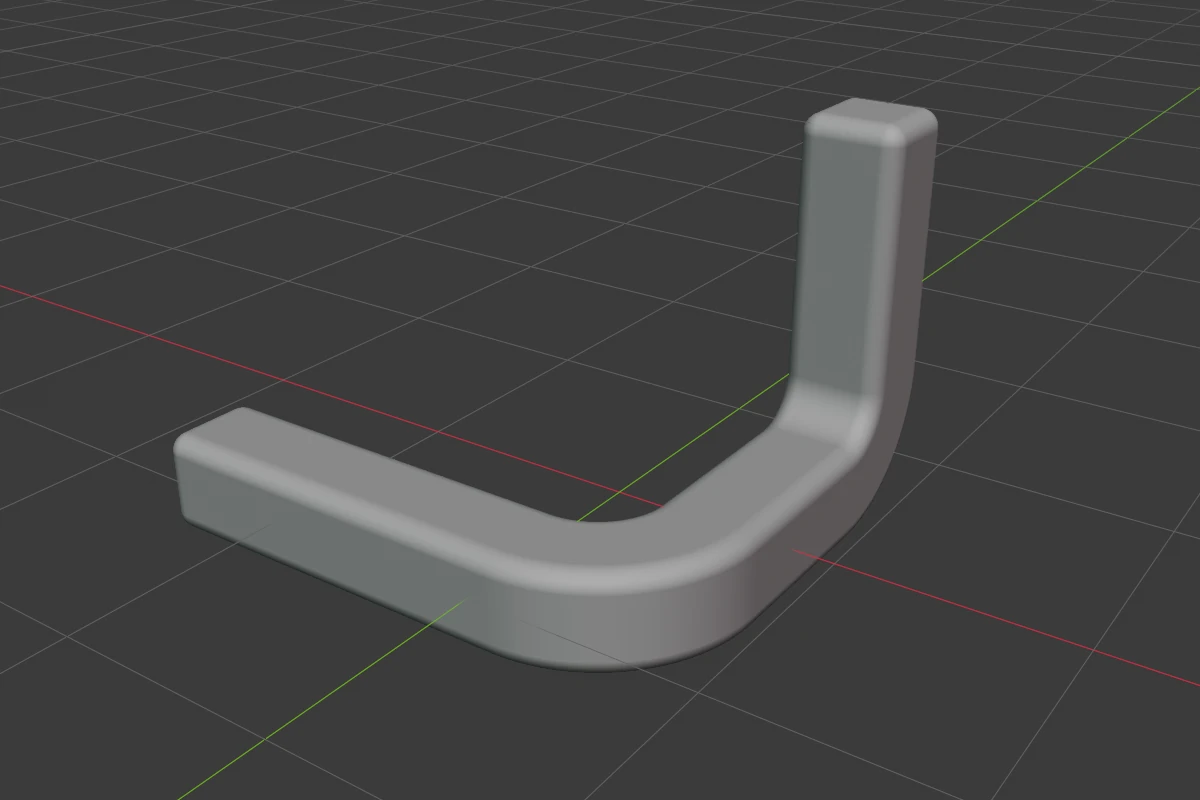
Settings
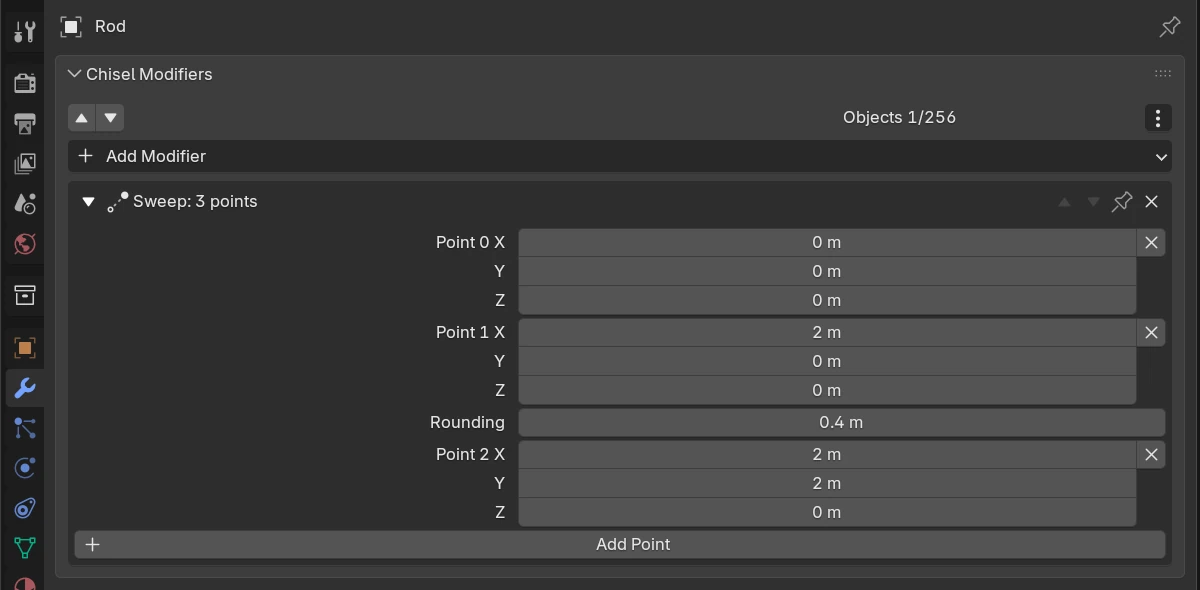
| Setting | Default | Range | What it does |
|---|---|---|---|
| Point 0, Point 1, … X / Y / Z | 0, 0, 0 and a point on local +Z, twice the shape’s largest size away (at least 1 m) | The path’s points, in order, in the shape’s own space: the path moves, turns and scales with the object | |
| × beside a point | Removes that point. Greyed out with two points left | ||
| Rounding (after every inner point) | 0 m | 0 and up (soft 10) | That corner’s arc radius. 0 is a sharp corner. A radius larger than the corner can hold stops at the largest arc that fits between the neighbouring points |
| Add Point | Adds a point past the last one |
Path handles
Each Sweep’s path on the active, selected shape draws with a handle on every point while the Chisel tool is active.
| Handle | Looks like | Drag or click | Keys while dragging |
|---|---|---|---|
| Point dot | Blue dot on every point | Drag to move the point, parallel to the view. Hover and press X or Delete to remove it; a path keeps two | X / Y / Z lock to that axis of the shape (again to unlock), hold Ctrl to slide along a segment, Shift precision |
| Rounding handle | Small orange dot off every inner corner | Drag away from the corner to raise its Rounding | |
| Add dot | Green dot at a segment’s middle, when you hover near it | Click to add a point there |
Both drags show their value beside the cursor; a locked axis shows as a line in its colour. Space, Enter or releasing the mouse confirms; RMB or Esc cancels and puts the point back.
Switch the handles with Sweep in the tool header’s gizmo drop-down, or Render Properties ▸ Gizmos ▸ Modifiers ▸ Sweep.
In Edit
In the Chisel tool’s Edit state the path’s points select like the points of a shape: black until selected, blue once selected.
- Click,
Shift-click or drag a box to select points. - Drag a selected point to move them all, or press
G;X,YorZthen lock to a world axis. XorDeleteremoves the selected points; the path keeps at least two.- Only a selected corner’s rounding handle can be dragged, and it rounds every selected corner by the same amount.
Pie menu
The pie’s East wedge has a Sweep row showing how many points the path has.
Limits and known issues
- A sweep has no taper or roll of its own. A Lattice below it shapes the swept result.