
Sweep
Sweep runs a shape along a path of points. A circle makes a tube, a rounded box makes a bar, a sphere makes a round-capped pipe, and every corner of the path can be filleted into a perfectly smooth arc. The path is edited entirely in the viewport.
Adding a sweep
- Pie menu (
Q): the Sweep button in the South wedge’s modifier grid - Right-click menu: Modifiers → Sweep
- Modifier panel: Add Modifier → Sweep
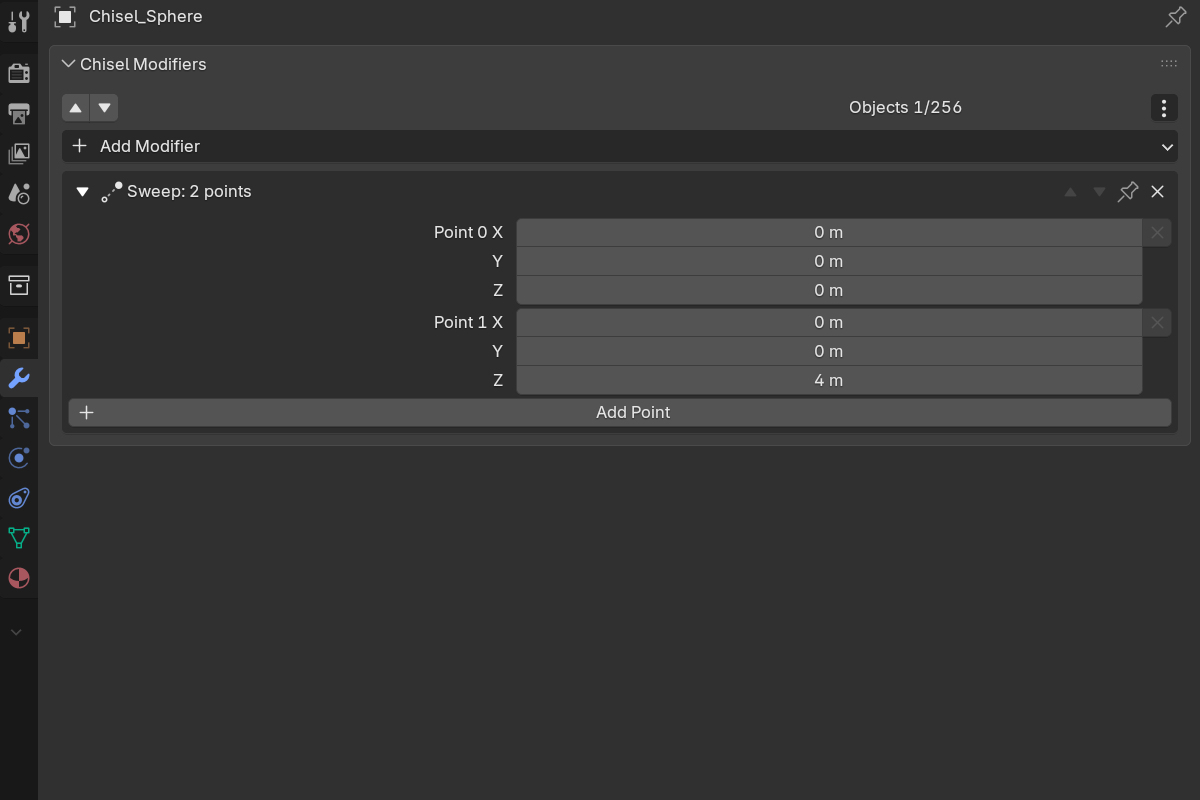
Sweep is added to every selected shape and starts with two path points along the object’s local Z, a few times the shape’s size apart.
Adding a Sweep from the modifier panel’s Add Modifier menu gives it an empty path, and the gizmo only appears once the path has points. Press Add Point in the panel to seed it, or add the Sweep from the pie or right-click menu instead.
Editing the path
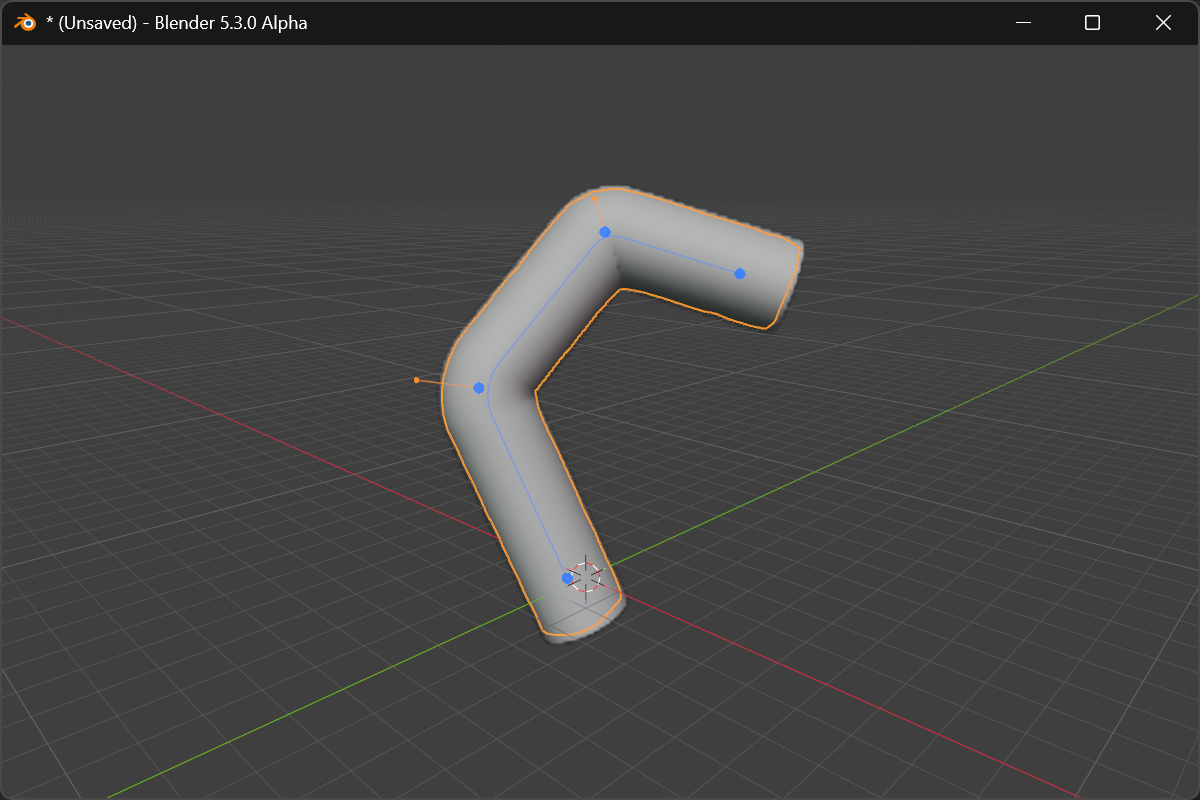
With the swept object active and selected, the path draws in the viewport with a handle on every point:
| Handle | Action |
|---|---|
| Blue dot (one per point) | Drag to move that point freely in 3D: the drag follows the view plane |
| Green dot (appears at a segment’s middle when you hover near it) | Click to insert a new point there |
| Orange handle (interior points only, floated out from the corner) | Drag to set that corner’s rounding. Its distance from the point is the value |
X / Delete | While hovering a blue dot, remove that point (the path keeps at least two) |
Space, Enter or releasing the mouse confirms a drag; RMB or Esc cancels and puts the point back. Every edit re-drives the swept solid live, and the proxy mesh follows when you let go.
- Corner rounding is an exact arc. A radius larger than the corner can hold is capped at the largest arc that fits between the two neighbouring points.
- Caps: the two open ends are closed with the profile’s own shape, so the shape’s Rounding and Bevel style them. There is no separate cap control, and the end points have no rounding handle.
Panel
The modifier panel lists the same points numerically:
- Point N: X / Y / Z of each path point, in the object’s local space, with a remove button
- Rounding: the corner radius, after every interior point (
0= sharp corner) - Add Point: appends a point past the last one
Paths are capped at 64 points.
Gizmo settings
The path gizmo is on by default. Its toggles live in Render Properties → Gizmos → Ngon, under the Sweep heading: Active Object and Chisel Tool gates plus a Sweep Gizmo master switch. See Render Engine: Gizmos.
Notes
- A sweep has no taper or roll of its own; use Lattice for that.
- Convert Legacy Curve turns a Curve Tube into a sphere with a Sweep along the curve’s points.
See also
- Lattice: deform the finished sweep
- Revolve: spin a profile instead of sweeping it
- Ngon: the same dot-and-handle editing on a polygon outline
- Curve-Based Primitives: the Curve Tube primitive