
View Markdown
Rounding & Blending
Chisel rounds edges in three places, all with the same six Shapes:
- Rounding rounds the edges of a single shape and is set on the shape.
- Blending rounds the seam where two things meet and is set on the modifier.
- The Smooth modifier sets a minimum radius for every edge and seam of a shape.
These roundings are part of the shape itself, not added geometry, and they update as you move or change the shapes.
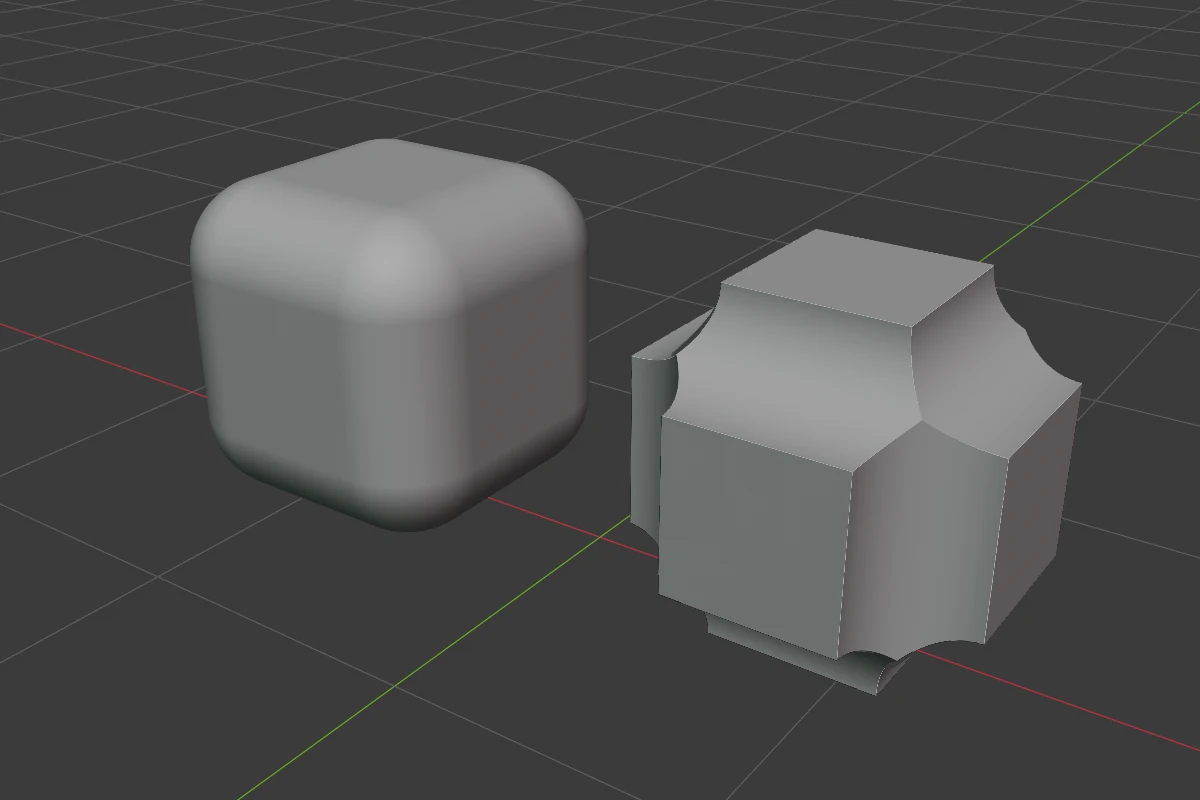
Every rounding and blend
| Where | Settings | Shape | In the viewport |
|---|---|---|---|
| A shape’s edges or rims | Shape, Rounding, Smooth | yes | B, the teal Rounding arc (Select), the teal dot (Edit) |
| The upright edges of a Prism, Trapezoid or Oblong; the corners of a Section | Side Rounding: Shape, Rounding, Smooth | yes | the green Side Rounding arc (Select), the green dot (Edit) |
| The rims of those shapes | Cap Rounding: Shape, Rounding, Smooth | yes | B, the teal Rounding arc, the teal dot |
| An Ngon’s corners | per corner: Rounding, Corner Shape, Corner Smooth | yes | the handles in Edit mode; the Side Rounding arc for all at once |
| A path shape’s Corner points | Rounding, Corner Shape, Corner Smooth (Points) | yes | the handles in Edit mode |
| A Lathe’s cut faces | Cap Rounding | Round only | B, the Rounding arc |
| A Sketch solid | Side Rounding (mm); Cap Rounding with Shape, Rounding (mm), Smooth (mm) | Cap only | B, the Rounding arc |
| A Boolean’s seam | Blend, Shape, Outer, Smooth, Material Blend | yes | Ctrl + B, the blue Blend arc (Select), the seam curve (Edit) |
| A Carve’s rim | Blend, Shape, Outer, Smooth | yes | Ctrl + B, the blue Blend arc, the seam curve |
| An Emboss’s or Engrave’s edges | Outer and Inner, each with a Shape and a Smooth | yes | Ctrl + B (Outer), the yellow or violet arcs, the seam curve with its ring and arrow |
| A Bisect’s cut and polyline corners | Blend, Shape, Outer, Smooth; Corner Blend per corner | yes | the orange blend and corner dots |
| A Mirror’s seam | Blend | Round only | none |
| Array copies | Smooth | Round only | the orange smooth dot |
| A Sweep path’s corners | per point Rounding | Round only | the orange corner handles |
| The whole shape | Smooth modifier: Radius, Shape, Smooth, Override All | yes | none |
| A shape drawn in Block mode | its Side Rounding, Cap Rounding and Blend | yes | B and Ctrl + B while drawing (Block mode) |
Most of these are also dragged from the pie (South-West and East wedges), the right-click menu and the Tape tree’s right-click options.
3 items under this folder.