
Sketch Planes
A sketch is drawn on a flat plane in the scene. A scene can have several, each with its own drawing; one is active, and that is the one you draw on and edit. Every scene starts with Sketch 1, on the world XY plane at the origin.
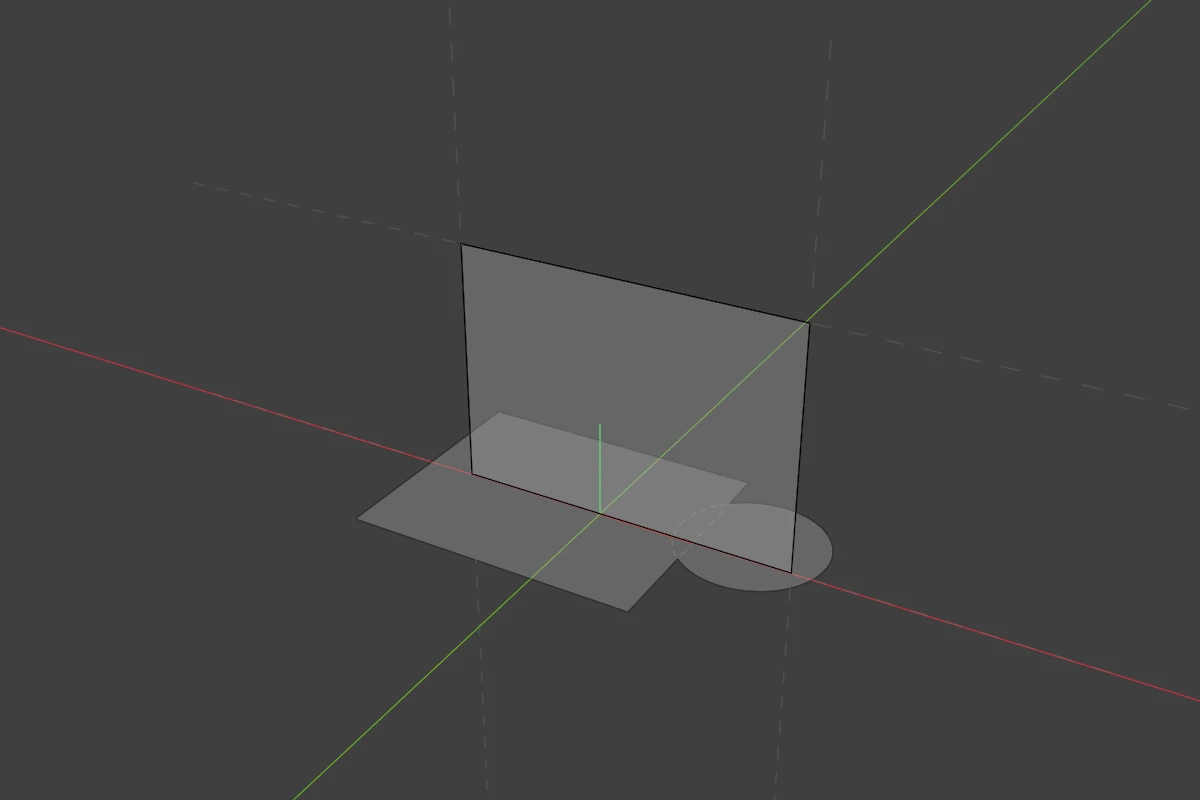
Sizes on a plane are in millimetres. A new plane is 200 by 200 mm. It has no frame in the viewport and no edge for the pointer: you can draw anywhere on its plane, and the plane’s area grows around what you draw and never shrinks. A view that looks along the plane places nothing.
Sketch 1 is saved with the first change you make to it. If you delete every sketch, the scene stays without one until you make a new plane.
The sketch list
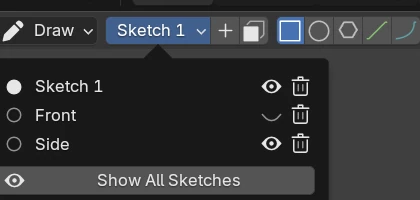
The Sketch button on the tool bar opens the list. It has one row per sketch, in the order they were made. It is greyed out while a drawing or a move runs, and Esc closes it.
| Control | What it does |
|---|---|
| Name | Makes this sketch the active one. A filled dot marks the active sketch. A hidden sketch is shown again. This is its own undo step |
| Eye | Hides the sketch in the viewport, or shows it again. Solids made from it stay. Hiding the active sketch makes the nearest shown sketch active; the active sketch is always drawn |
| Bin | Deletes the sketch and everything drawn on it. A sketch that a solid is made from stays until that solid is deleted, and the message names the solids |
| Show All Sketches | Only while a sketch is hidden. Shows every hidden sketch again |
The right-click menu’s Sketch Plane entry and the sidebar’s sketch list hold the same names. A sketch becomes active only from a list, never by clicking it in the viewport. There is no rename: the name is set in the Create Sketch Plane dialog.
New Plane
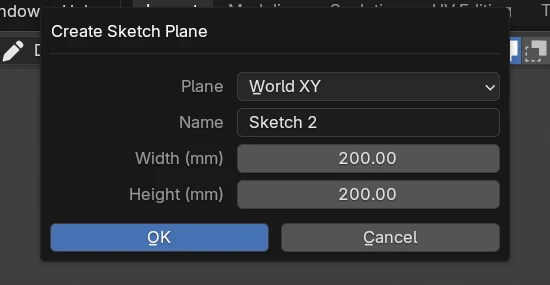
The + on the tool bar, and New Sketch Plane in the right-click menu, open the dialog. A plane is placed at the 3D cursor’s location, whatever its orientation, and becomes active. It is one undo step. The dialog is refused while a drawing or a move runs.
| Field | Default | What it does |
|---|---|---|
| Plane | World XY | The orientation. World XY: normal along world Z. World XZ: normal along negative world Y. World YZ: normal along world X. 3D Cursor: the cursor’s own orientation |
| Name | Sketch N | The sketch’s name. N is the number of sketches plus one, so a name can repeat after a deletion |
| Width (mm) | 200 | The plane’s size across its drawing X axis. More than 0 |
| Height (mm) | 200 | The size along its drawing Y axis. More than 0 |
From Face
From Face on the tool bar, and Sketch Plane from Face in the right-click menu, put a new plane on a mesh face. The cursor becomes a crosshair and the status bar tells you to point at a face and click, or press Esc to cancel.
| Input | What it does |
|---|---|
Click, Space or Enter | Places the plane where the pointer is, with its normal along the face’s normal. It is 200 by 200 mm, named Sketch N and active |
Esc or right-click | Cancels |
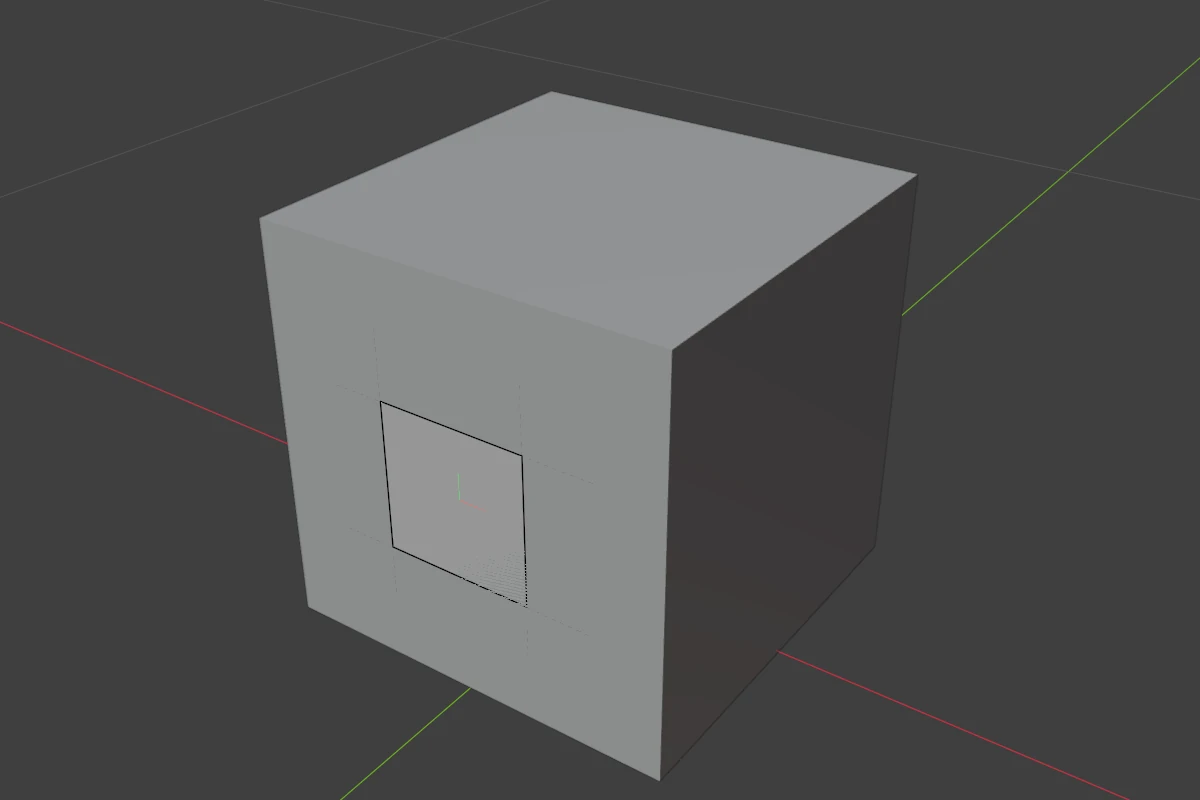
The plane keeps no link to the face: moving or deleting the mesh later does not move it. With no mesh face under the pointer, nothing is placed.
Moving and turning a plane
The sidebar’s Sketch tab has two buttons at the bottom of its plane group, and the right-click menu’s Sketch Plane entry has the same two (Move Plane and Sketch, Rotate Drawing X/Y).
| Button | Dialog | What it does |
|---|---|---|
| Plane Placement | Origin (X, Y, Z) and Rotation (X, Y, Z) | Moves and turns the whole plane, with everything drawn on it. The origin is in the scene’s length units |
| Drawing X/Y | One angle field, with the note Geometry and existing dimension axes stay fixed | Turns the plane’s drawing axes about its origin and leaves what is already drawn where it is. Only what follows the axes changes: new rectangles, typed angles, the grid and the guides |
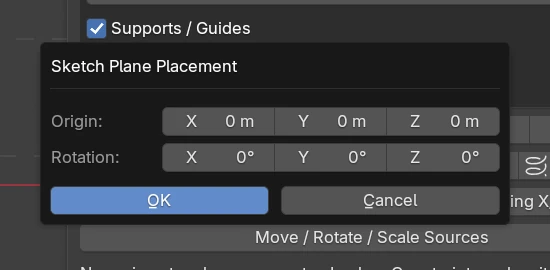
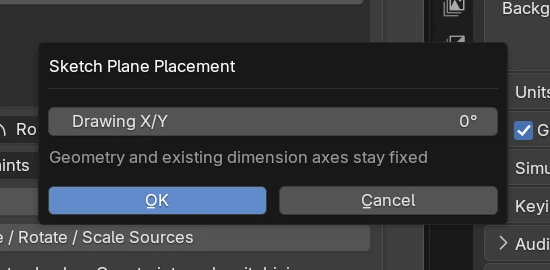
Both are refused if the sketch changed while the dialog was open.
Sketch Plane menu
| Entry | What it does |
|---|---|
| Switch / Create Sketch | The list of sketches, Show All Sketches, Create Sketch Plane and Create Sketch on Face |
| Move Plane and Sketch | Plane Placement |
| Rotate Drawing X/Y | Drawing X/Y |
| Hide Sketch | Hides the active sketch |
| Delete Sketch | Deletes the active sketch, with the same refusal as the bin |
The last four are greyed out with no sketch.
Units
The Origin in Plane Placement follows the scene’s length units, so with a unit scale other than 1 the numbers differ from millimetres. A drawing or a move that is running is cancelled if the unit scale changes.
See also
- Drawing: what you do on the active plane
- Sketch Solids: turning a sketch into a shape; a sketch with a solid cannot be deleted
- Snapping & Guides