
Constraints
A constraint ties selected points and edges of a sketch to each other or to a number, and the sketch is solved to keep it true. A relation ties elements together (two lines parallel, a point on a circle). A dimension holds a number (a length, an angle, a radius). Constraints are added in Edit from the Constraints menu.
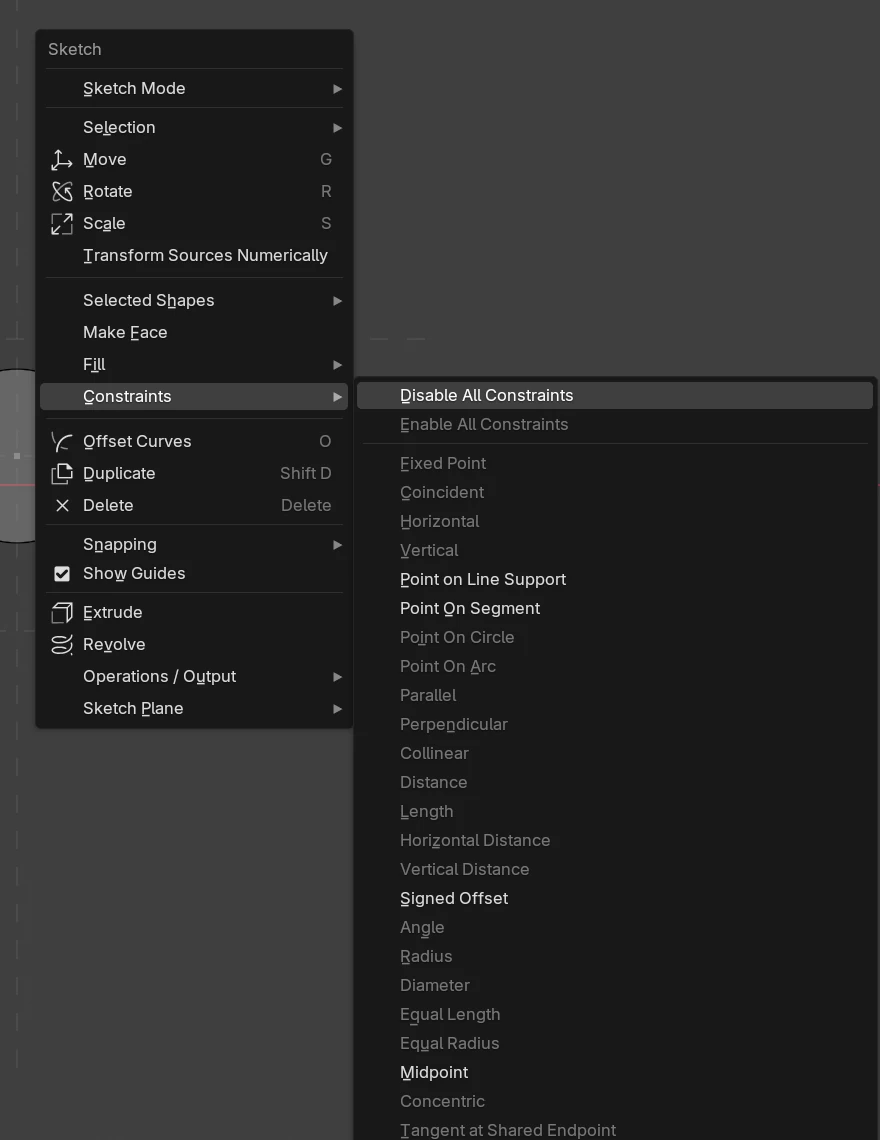
The Constraints menu
The menu is on the tool bar in Edit, in the right-click menu and in the sidebar. It reads the selection of points and edges only; selected faces do not count. A row that does not fit the selection is greyed out. Selection order matters for some rows: rows that start with a point reorder themselves, and Signed Offset, Midpoint and Angle read the order you picked in.
The first two rows work on the whole sketch:
| Row | What it does |
|---|---|
| Disable All Constraints | Keeps every saved constraint but stops it driving the sketch. Greyed out unless one is enabled |
| Enable All Constraints | Turns every saved constraint on and solves. Greyed out unless one is disabled. If the set cannot be solved, it is refused and the sketch stays disabled |
The other rows, in the order the menu has them:
| Row | Needs exactly | What it does | Kind |
|---|---|---|---|
| Fixed Point | One point or more | Holds each point where it is | Relation |
| Coincident | Two points | Makes them one place | Relation |
| Horizontal | One line, or two points | Keeps it level with the drawing X axis | Relation |
| Vertical | One line, or two points | Keeps it along the drawing Y axis | Relation |
| Point on Line Support | A point and a line | Keeps the point on the endless line through the line | Relation |
| Point On Segment | A point and a line | Keeps the point between the line’s ends | Relation |
| Point On Circle | A point and a circle or an arc | Keeps the point on the circle | Relation |
| Point On Arc | A point and an arc | Keeps the point on the arc | Relation |
| Parallel | Two lines | Keeps them parallel | Relation |
| Perpendicular | Two lines | Keeps them at a right angle | Relation |
| Collinear | Two lines | Keeps them on one line | Relation |
| Distance | Two points | Their distance, 0 or more | Dimension |
| Length | One line | Its length, more than 0 | Dimension |
| Horizontal Distance | Two points | Their distance along the drawing X axis | Dimension |
| Vertical Distance | Two points | Their distance along the drawing Y axis | Dimension |
| Signed Offset | A point or a line, then a line | The distance from the first to the line, signed by the side it is on | Dimension |
| Angle | One line, or two lines | The line’s angle to the drawing X axis, or the angle between two lines, from -180 to 180 degrees | Dimension |
| Radius | A circle or an arc | Its radius, more than 0 | Dimension |
| Diameter | A circle or an arc | Its diameter, more than 0 | Dimension |
| Equal Length | Two lines | Gives them one length | Relation |
| Equal Radius | Two circles or arcs | Gives them one radius | Relation |
| Midpoint | A point and a line, or three points | Puts the point at the middle of the line, or the first of three points at the middle of the other two | Relation |
| Concentric | Two circles or arcs | Gives them one centre | Relation |
| Tangent at Shared Endpoint | A line and an arc, or two arcs, that share exactly one endpoint | Makes them meet tangentially there. The shared point can be a third pick | Relation |
A relation applies at once. A dimension opens a dialog.
Dimension dialog
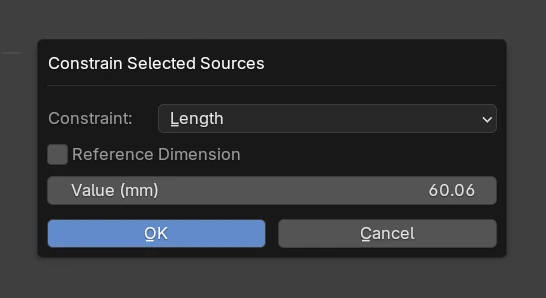
| Field | What it does |
|---|---|
| Constraint | The kind, one of the rows above |
| Reference Dimension | Off by default. Measures without driving the sketch |
| Value (mm) | The number. Angle (degrees) for an Angle. It starts at the value measured now, and is greyed out while Reference Dimension is on |
A driving dimension solves the sketch to the number. A move that it blocks reports Transform limited by driving constraints, and an exact number you type that it blocks is refused. A reference dimension only measures: it never drives and never turns anything green, and its number is drawn in parentheses.
When a constraint cannot be added, the message reads reason: conflicts with Kind n, ….
On the sketch
Each enabled dimension draws its number alone, to four significant digits, at the middle of what it measures (at the top of a circle). Angles carry a degree sign. Selected elements draw blue, or green when a driving relation is attached to them.
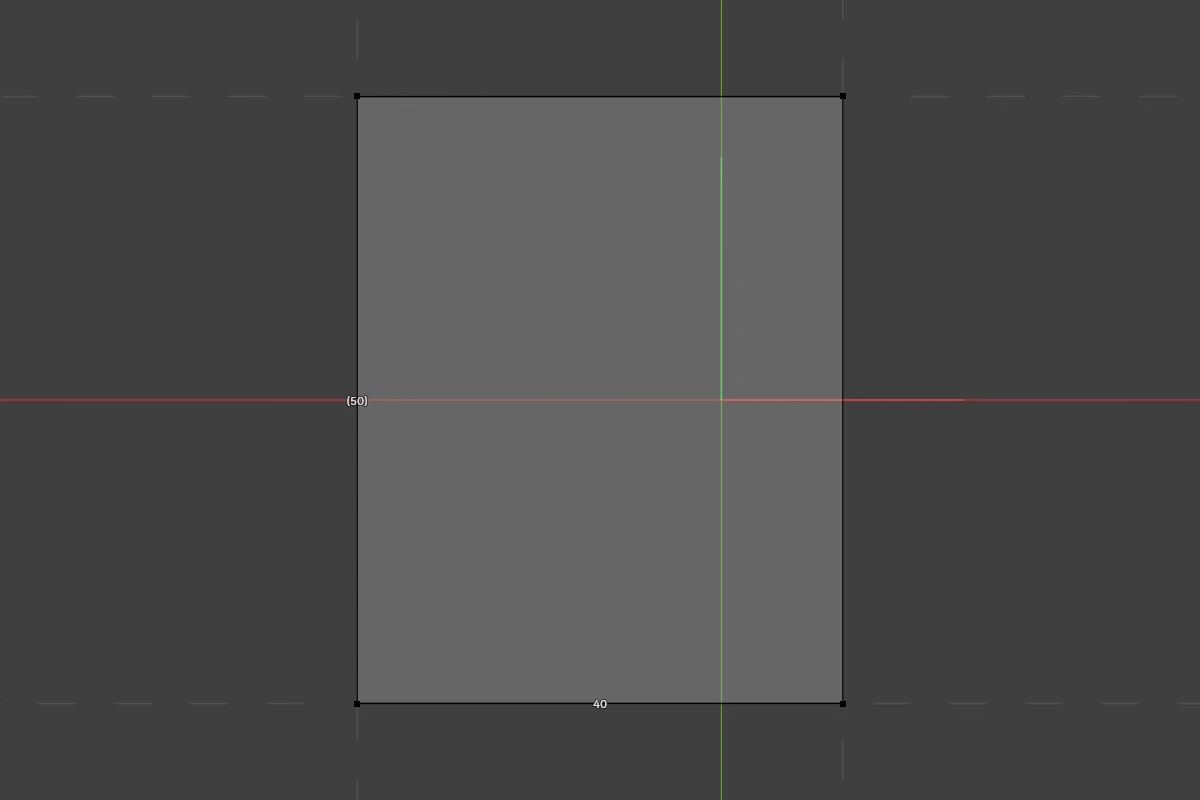
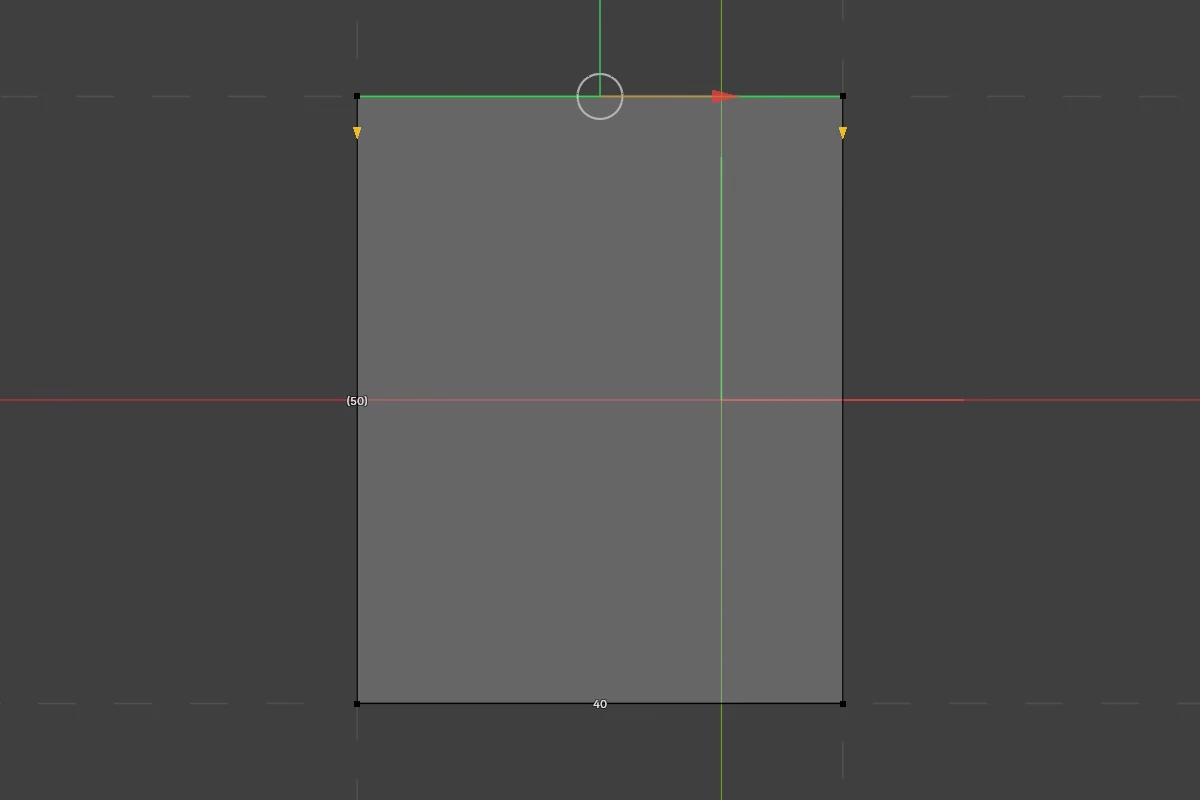
A disabled constraint draws no number and no colour.
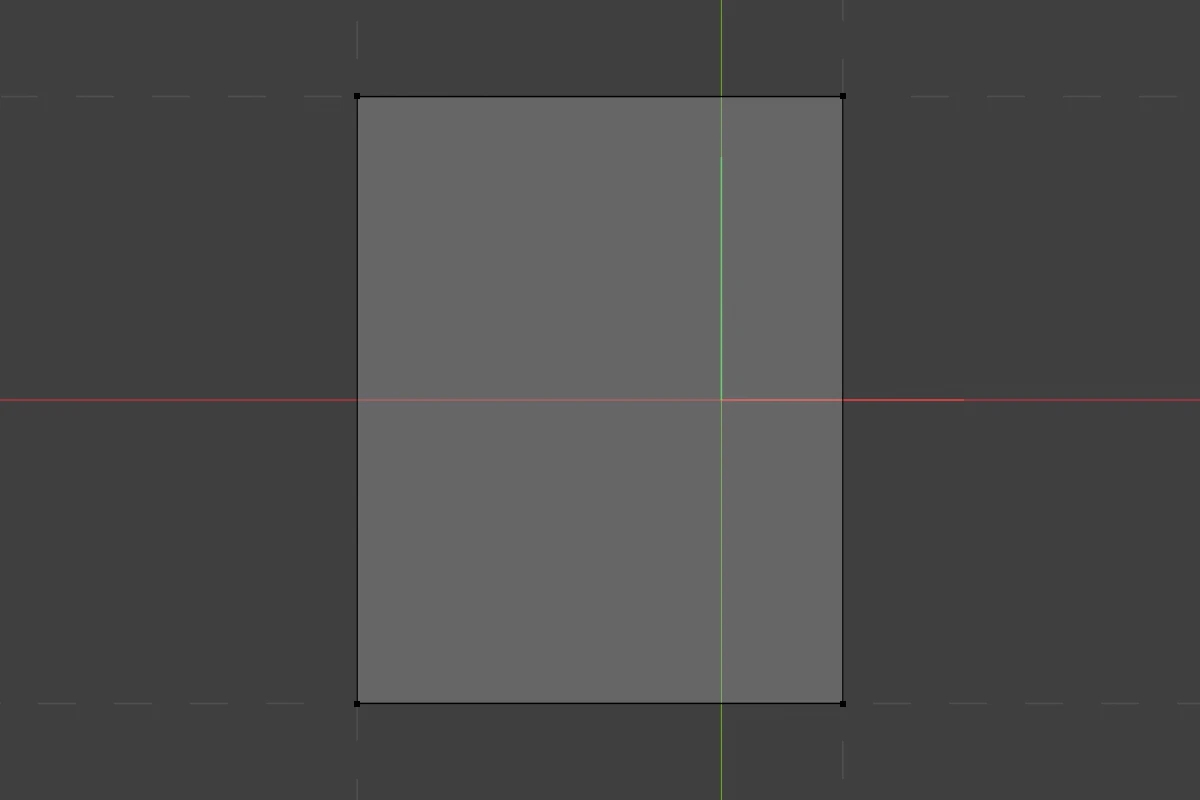
In the sidebar
In Edit the sidebar’s Sketch tab ends with the constraints of the active sketch.
| Row | What it shows |
|---|---|
| Move / Rotate / Scale Sources | Opens the numeric transform, see Selecting & Moving |
| The hint | Numeric entry places geometry; Lock or Constraints makes it driving |
| Count | N sources · M constraints |
| Solve status | Fully constrained, or n free degrees, or n free, m redundant. Other states read Inconsistent, No convergence, Invalid geometry, Branch violation, Blocked by constraints or Capacity exceeded |
| One row per constraint | Its kind, (disabled) when it is off, its number, (ref) for a reference dimension and (redundant) when it adds nothing. A row that conflicts is red. The X removes it, and removing is undoable |
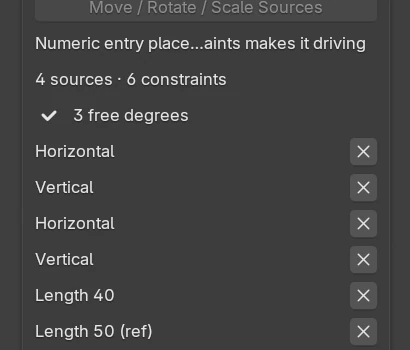
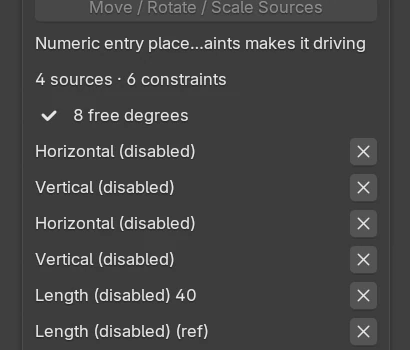
Every Rectangle you draw carries four relations, two Horizontal and two Vertical, which keep its sides straight. They count in the list and Disable All Constraints turns them off too. The list and the dialog use plain names for some kinds that the menu spells out: the dialog’s Constraint list reads Point On Line, Point On Segment and Tangent.
Limits
- A constraint cannot be edited in place: remove it with its X and add it again.
- The solver is local. The solve status and redundant describe the current solution only.
- A sketch with too many points for the solver is refused, when you draw it and when the file is loaded.
See also
- Drawing: typed sizes that drive
- Selecting & Moving
- Snapping & Guides