
Field Panel
The Field panel is where a shape’s kind and its settings live. It is on the Modifier tab of the Properties editor, above Modifiers and Values, and shows the selected Chisel shape. The rows change with the shape; the tables on each shape’s page list them.
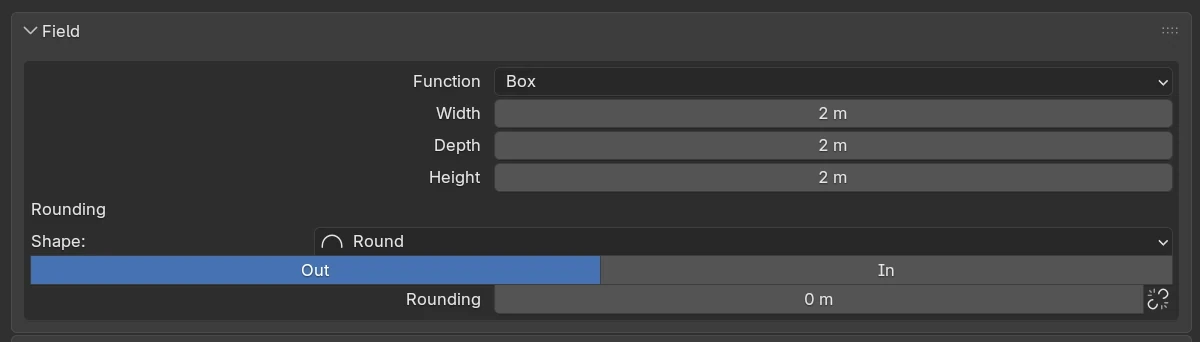
Function
Function is the drop-down that picks the shape. It lists Box, Oblong, Trapezoid, Cylinder, Cone, Capsule, Torus, Tube, Polygon, NGon, Outline, Rail, Lathe, Text, Sphere, Mesh, Ellipsoid, Ring, Line, Spring, Screw, Infill and Sketch.
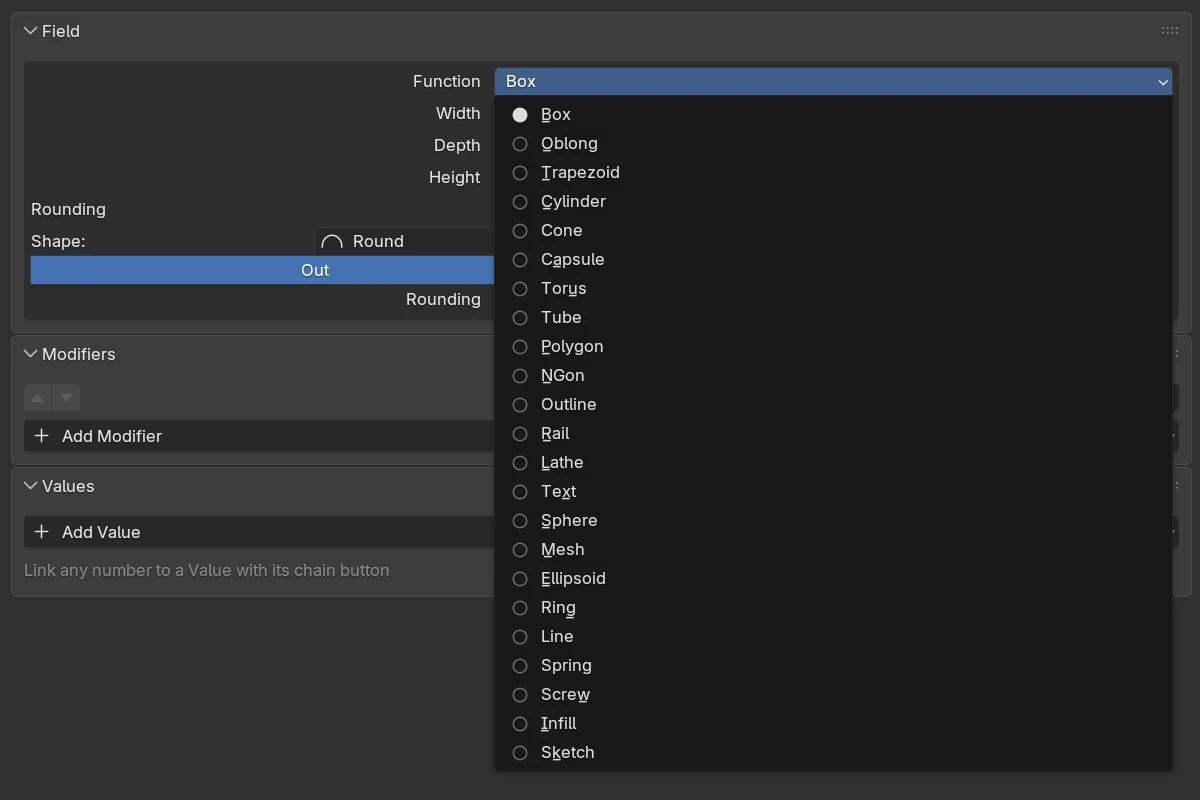
Choosing another entry changes the shape in place:
- The new shape fills the old one’s box as far as it can, so the size carries over.
- Choosing the old entry again gives back the same shape, with its settings, as long as you changed nothing in between. A change in between carries through the shared size instead.
- A path keeps its points while you switch between Tube, Rail, Line, Outline and Lathe.
- An Outline, an NGon and a Lathe keep their place, so a switch neither moves nor resizes them.
- Choosing the entry that is already active does nothing.
A Prism is the Polygon entry with the Regular profile. Sketch shows a sketch as a solid, see Sketch Solids. Text and Mesh can be chosen at any time; with no input they draw nothing.
Profile
A row that appears for a Polygon, a Rail and a Lathe that turns a section. It picks the cross-section.
| Shape | Choices |
|---|---|
| Polygon | Regular, Star, Gear, Flower, Ratchet, Custom, Cross |
| Rail, Lathe | the same seven, then Rectangle and Points |
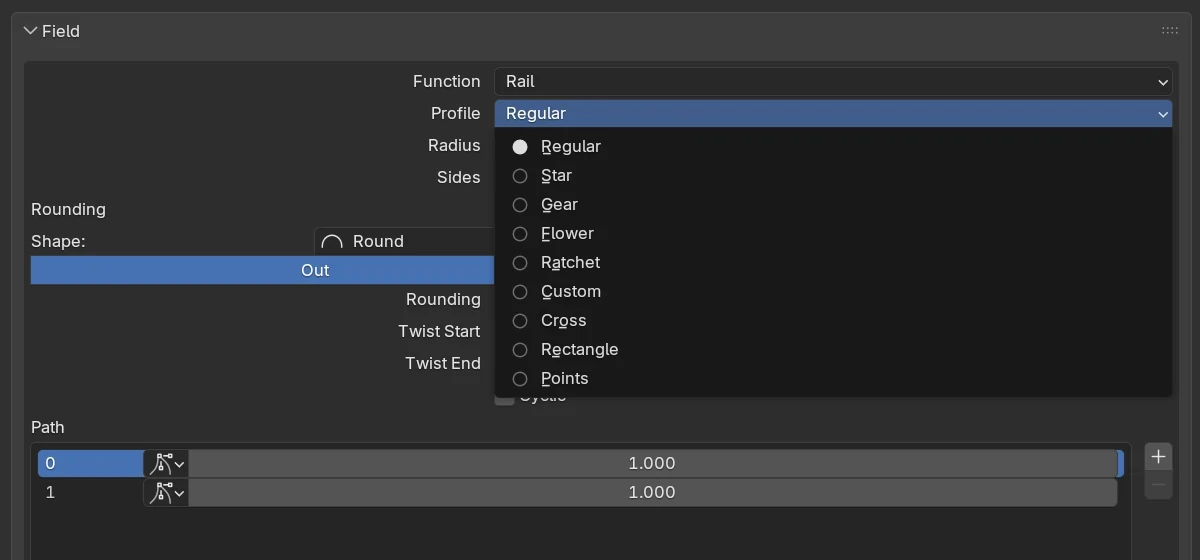
The choices are described on Polygon and Rail. When you change the profile of a Polygon, its side count carries over.
Source and Form
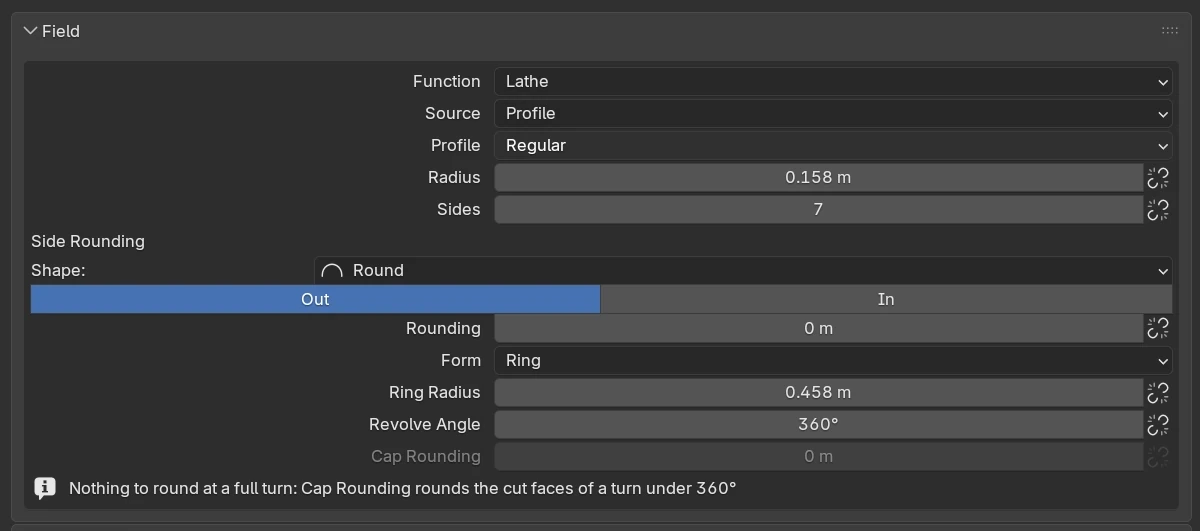
Only a Lathe has these. Source is Points or Profile: the Lathe turns its own profile points, or a section chosen with Profile. Form is Solid or Hollow for points, and Ring or Ball for a section.
Sizes
Width, Depth, Height and Radius are the shape’s outer size along its own X, Y and Z axes and its round size, as it is after the object’s own scale. A Box, Oblong, Trapezoid, Prism and Infill have Width, Depth and Height (a Prism with more than three sides has a Radius instead of Width and Depth), a Cylinder, Cone and Capsule have Radius and Height, and a Sphere has Radius. Scaling the object still sizes the shape, and the numbers here follow it.
The other shapes name their sizes after what they are: Tube Radius, Outer Radius, Wall Thickness, Core Radius, Cell Size and so on.
Rounding
Rounding appears as a group of rows under its own heading.
| Heading | Rounds | Shapes |
|---|---|---|
| Rounding | every edge, or the rims and corners the shape has | Box, Cylinder, Cone, NGon, Outline, Rail, Text, Line |
| Side Rounding | the edges that run along the shape’s height | Oblong, Trapezoid, Polygon |
| Cap Rounding | the rims where the sides meet the top and the bottom | Oblong, Trapezoid, Polygon |
A group has these rows:
| Row | What it does |
|---|---|
| Shape | The curve of the rounding: Round, Sharp, Soft, Tight, Chamfer or Steps, see Rounding Shapes |
| Out / In | Rounds the edge outward, or cuts it inward |
| Steps | How many steps a Steps shape has, 1 to 16. Only shown for Steps |
| Rounding | The size of the rounding. 0 is a sharp edge |
| Smooth | Softens the seams of the curve. Only shown for Chamfer, every In shape and Steps with In |
A Ring has a single Rounding row without a Shape, and a Lathe has a single Cap Rounding row. The chain button at the end of a number links it to a Value.
Taper
A Cone and a Trapezoid have a Taper row: a tick box and a slider. 0 is straight sides and 1 is a point. Unticking it turns a Cone into a Cylinder and a Trapezoid into a Box; ticking it again restores the amount. Every other shape tapers with the Taper modifier.
Input
Text and Mesh read an Input: the text or the mesh they draw. The row has a picker, a + button that makes a new input, and an eye button that shows or hides the input’s own object.
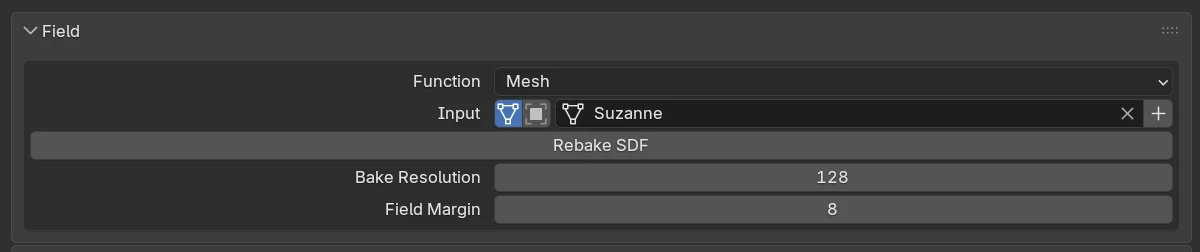
Rows by Function
| Function | Rows after Function |
|---|---|
| Box | Width, Depth, Height, Rounding |
| Oblong | Width, Depth, Height, Side Rounding, Cap Rounding |
| Trapezoid | Width, Depth, Height, Side Rounding, Cap Rounding, Taper |
| Cylinder | Radius, Height, Rounding |
| Cone | Radius, Height, Rounding, Taper |
| Capsule | Radius, Height |
| Torus | Radius, Ring Radius |
| Tube | Tube Radius, Cyclic, Path |
| Polygon | Profile, Radius, Sides, Inner, Side Rounding, Extrude, Cap Rounding (by profile) |
| NGon | Points, Extrude, Rounding |
| Outline | Profile Points, Extrude, Rounding |
| Rail | Profile, section rows, Rounding, Twist Start, Twist End, Cyclic, Path |
| Lathe | Source, Profile Points or Profile, Form, Revolve Angle, Cap Rounding |
| Text | Input, Text, Font, Size, Extrude, Rounding |
| Sphere | Radius |
| Mesh | Input, Rebake SDF, Bake Resolution, Field Margin |
| Ellipsoid | Width, Length, Height |
| Ring | Outer Radius, Wall Thickness, Height, Rounding |
| Line | Width, Height, Closed, Path, Rounding |
| Spring | Radius, Wire Radius, Pitch, Turns, Left Handed, Centered |
| Screw | Core Radius, Length, Thread Depth, Pitch, Thread Shape, Left Handed, Bevel, Centered |
| Infill | Width, Depth, Height, Pattern, Structure, Cell Size, Wall (approx.), Offset (approx.), Cell Placement |
| Sketch | the sketch, Lift, depth and rounding |
The Object tab keeps the rows every shape shares, see Properties Panels.
See also
- Primitives
- Edit Mode: the same sizes as handles in the viewport
- Rounding