
Rounding
A rounding rounds the edges of a single shape. A shape has either one Rounding or two: a Side Rounding for its upright edges or wall corners and a Cap Rounding for the rims of its top and bottom. Each takes one of the six Shapes.
What rounds on each shape
| Shape | Rounding | What it rounds |
|---|---|---|
| Box | Rounding | every edge |
| Cylinder, Cone | Rounding | the rims of the caps |
| Text | Rounding | the letters’ front and back edges |
| Outline | Rounding | the top and bottom rims; its corners are its points’ own |
| Rail | Rounding | the corners of its section along the whole rail and the rims of its two ends |
| Ngon | Rounding | the top and bottom rims. Each corner has its own rounding, set in Edit mode |
| Oblong, Trapezoid, Prism | Side Rounding and Cap Rounding | the upright edges or wall corners, and the top and bottom rims |
| Lathe | Cap Rounding | the edges of the cut faces of a turn under 360°. A Lathe that turns a section also has Side Rounding for the section’s corners. Always round |
| Sketch solid | Side Rounding (mm) and Cap Rounding | an extruded solid: every corner of the outline (always round) and the rims. A revolved solid has Rounding (mm), always round |
| Tube, Sphere, Capsule, Torus, Ellipsoid, Spring, Screw, Mesh | none |
The corners of Ngons and path shapes round one by one with their own handles in Edit mode; see Ngon and Points.
Settings
In the Field panel, on the Modifier tab, each rounding has a heading: Rounding, Side Rounding or Cap Rounding.
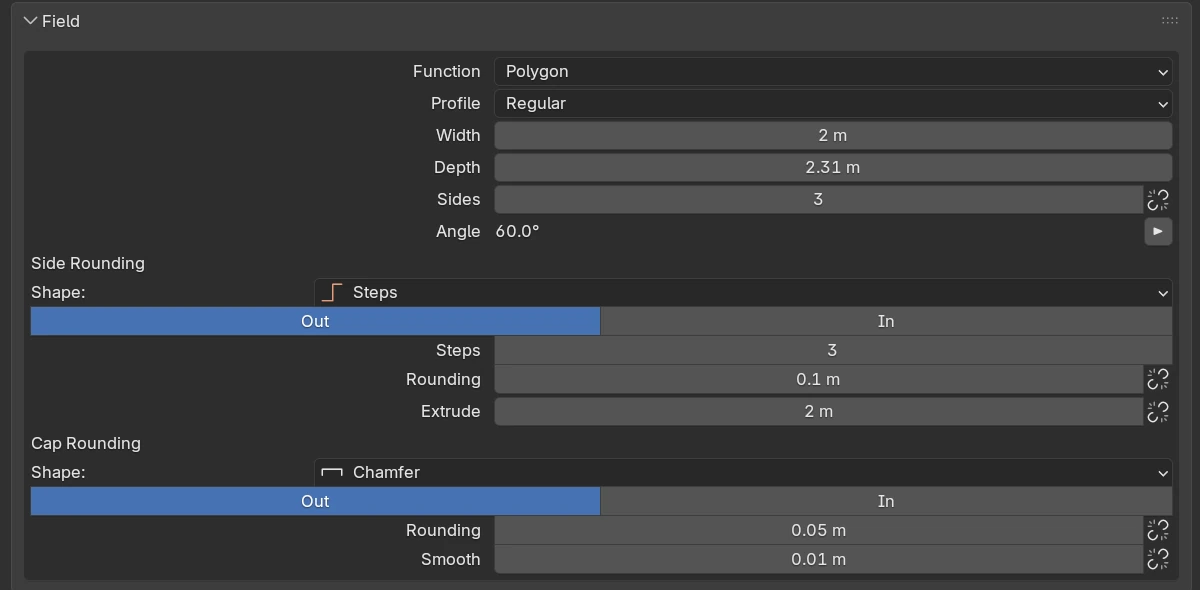
| Setting | Default | Range | What it does |
|---|---|---|---|
| Shape | Round | Round, Sharp, Soft, Tight, Chamfer, Steps | The rounding’s Shape. |
| Out / In | Out | Rounds the edge off, or cuts the curve into it. | |
| Steps | 1 to 16 | Shown while the Shape is Steps. | |
| Rounding | 0 m | 0 and up (soft max 2) | The edge radius. |
| Smooth | 0 m | 0 and up (soft max 0.5) | Rounds the curve’s two edges. Shown when the Shape has a Smooth. |
A Lathe’s Cap Rounding has only its radius and is greyed at a full turn; Ring, Countersink and Counterbore label it Rounding.
Adjust modal (B)
With the Block tool active, press B and move the mouse to change the Rounding of every selected shape that has one. Where a shape has a Side Rounding beside it, B changes the Cap Rounding and never the Side Rounding. Moving away from the active shape raises it and moving toward it lowers it; all selected shapes change by the same amount. The value label next to the cursor shows the name, the value and the number of shapes.
| Key | What it does |
|---|---|
Shift (held) | Precision: a tenth of the speed |
Ctrl (held) | Snap to 0.1; with Shift, to 0.01. On a Sketch solid, whole millimetres and tenths |
1 – 6 | Shape: Round, Sharp, Soft, Tight, Chamfer, Steps (numpad too) |
I, O | In, Out |
S | Drag the Smooth instead; S again goes back. Does nothing when the Shape has no Smooth |
Click, Enter, Space | Confirm |
Esc, right-click | Cancel: the radius and the Shape go back |
A drag started from an arc or a dot is confirmed by releasing the button.
Rounding and Side Rounding arcs
In the Block tool’s Select, two of the adjust arcs around the selection start the same drag. Drag an arc outward to raise its value; release confirms and the keys above work while dragging.
- Rounding (teal, bottom right, innermost): the Rounding, or the Cap Rounding, of every selected shape.
- Side Rounding (green, bottom left): the Side Rounding of every selected Oblong, Prism, Trapezoid, turned Section and extruded Sketch solid, and every corner of every selected Ngon.
Rounding dots
In the Block tool’s Edit, a selected shape that has a rounding shows a dot for it instead: teal at the bottom right for the Rounding or Cap Rounding, green at the top right for the Side Rounding. Drag the dot; the keys above work.
In the menus
- Pie
Q, South-West: on a shape with both roundings, the Side Rounding block (six Shape icons, Out and In, Steps, Side Rounding, Smooth), then the Cap Rounding block in the same order. A shape with one rounding shows that one. A Lathe shows only Cap Rounding. - Right-click: Side Rounding Shape ▸, Side Rounding, Smooth; Cap Rounding Shape ▸ (Rounding Shape ▸ on a shape with one), Cap Rounding (Rounding), Smooth.
- Tape tree: right-click a shape for its roundings. One open and close is one undo step.
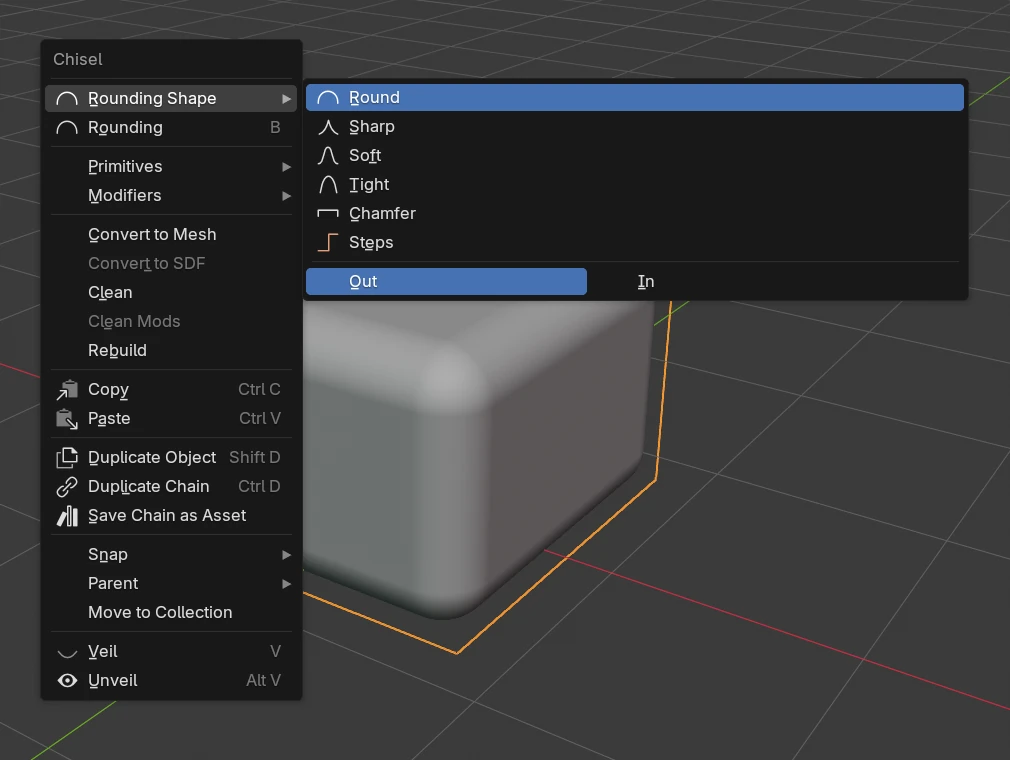
The Rounding, Side Rounding, Cap Rounding and Smooth entries start the drag described above. The Shape buttons act on every selected shape that has that rounding.
See also
- Blending, Rounding Shapes
- Smooth: a minimum radius for a whole shape