
View Markdown
Polygon
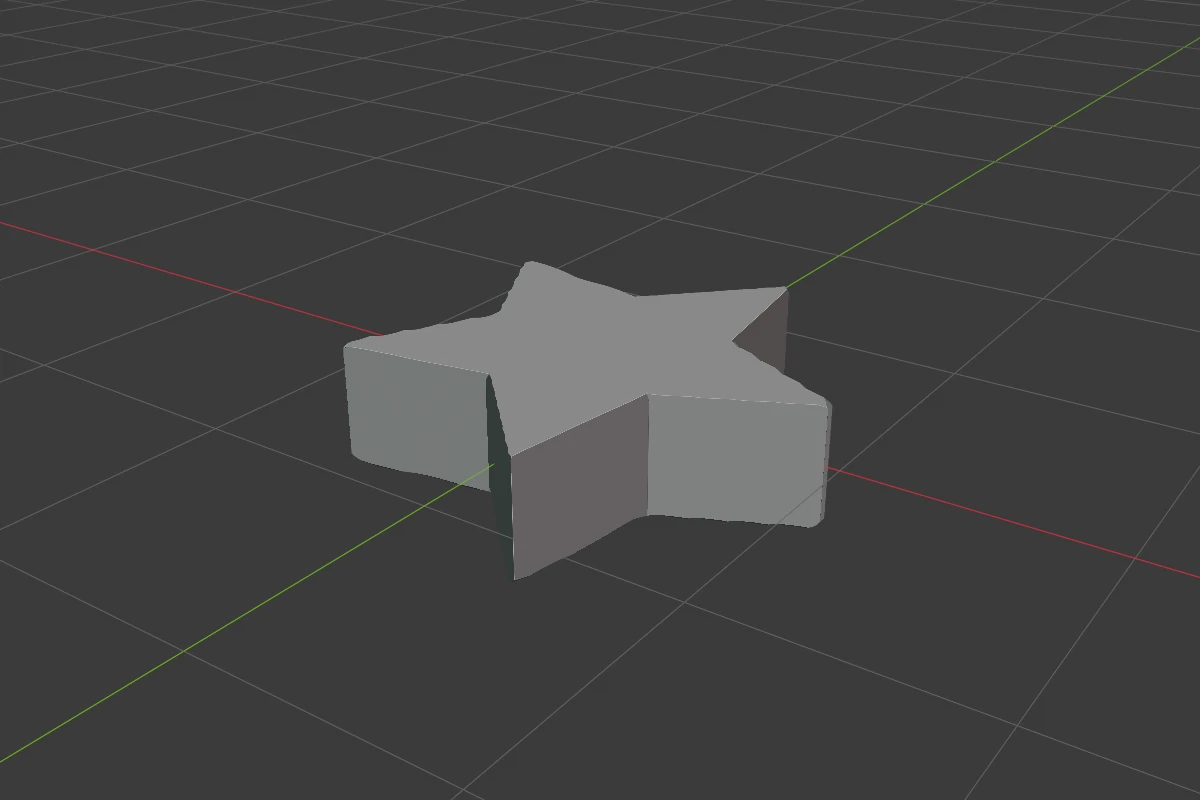
A polygon outline, extruded. The Add menu’s Polygon makes a five-pointed star; its Prism makes the Regular profile of the same shape, see Prism. In the Field both are the Polygon function and Profile picks the outline.
Profile
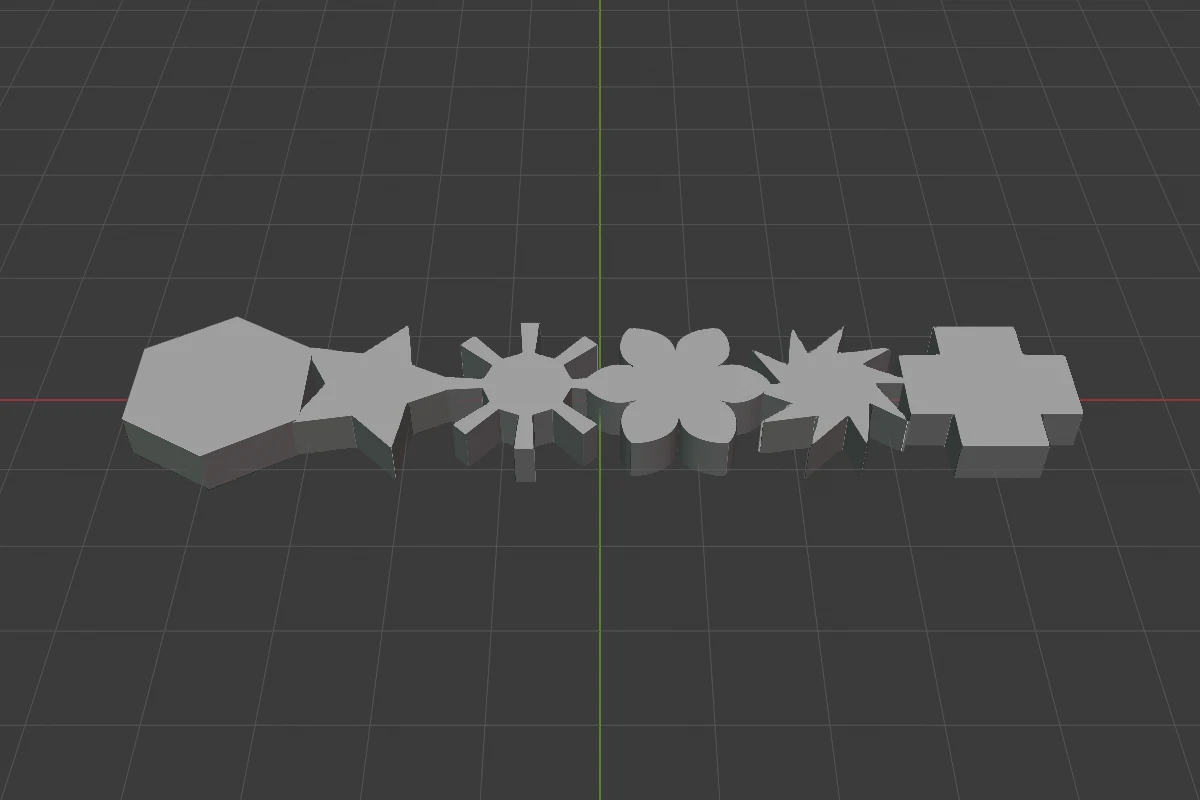
| Profile | What it makes |
|---|---|
| Regular | A regular polygon: the Prism |
| Star | Points alternating with notches; Inner sets how deep the notches go |
| Gear | Teeth with flat tops |
| Flower | Round petals |
| Ratchet | Teeth with one steep and one sloping side |
| Custom | The outline of a curve you draw in the Profile Curve widget |
| Cross | A cross whose arm width is Arm Width Ratio |
Settings
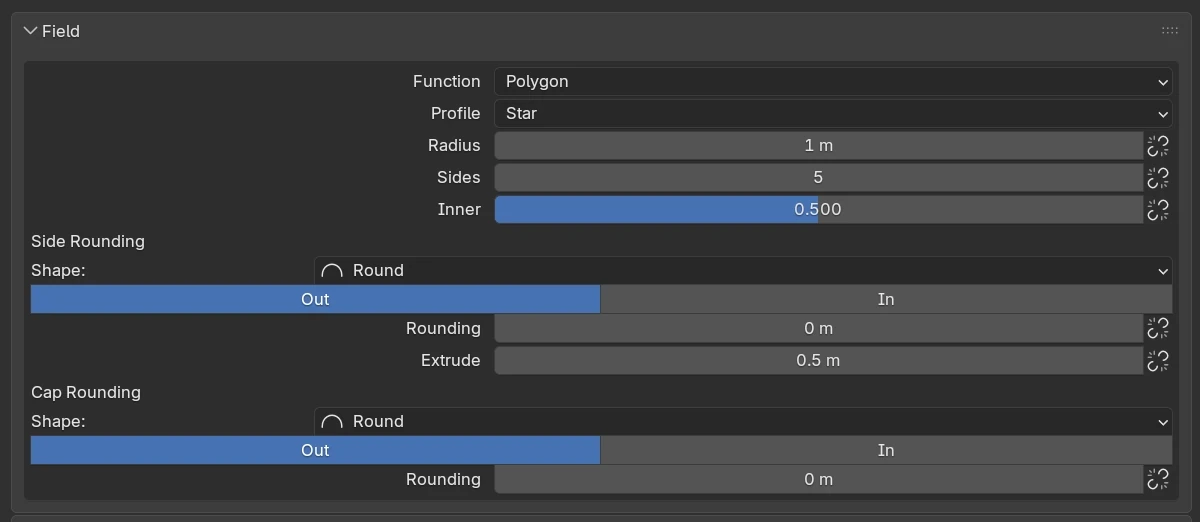
| Setting | Default | Range | What it does |
|---|---|---|---|
| Profile | Star | the seven above | The outline |
| Radius | 1 m | > 0 (soft 10) | The radius of the circle the points lie on |
| Sides (not Cross) | 5 | 1 – 64 (soft 24) | The number of points, teeth or petals. A Ratchet needs at least 2 |
| Inner (Star, Gear, Flower, Ratchet, Custom) | 0.5 | 0 – 1 | The inner radius as a share of the outer one |
| Arm Width Ratio (Cross) | 0.5 | 0 – 1 | The width of the arms as a share of the cross |
| Mirror (Custom) | on | Mirrors the drawn curve for every lobe | |
| Profile Curve (Custom) | The curve data-block, with New and X, and the curve widget under it | ||
| Side Rounding ▸ Shape, Out / In, Steps, Rounding, Smooth | Round, Out, 0 | as on Oblong | Rounds the corners of the outline |
| Extrude | 0.5 m | > 0 | The height of the shape |
| Cap Rounding ▸ Shape, Out / In, Steps, Rounding, Smooth | Round, Out, 0 | as on Oblong | Rounds the top and bottom rims |
A Polygon with the Regular profile shows the rows of a Prism instead. The rows every shape has are in Properties Panels.
Handles
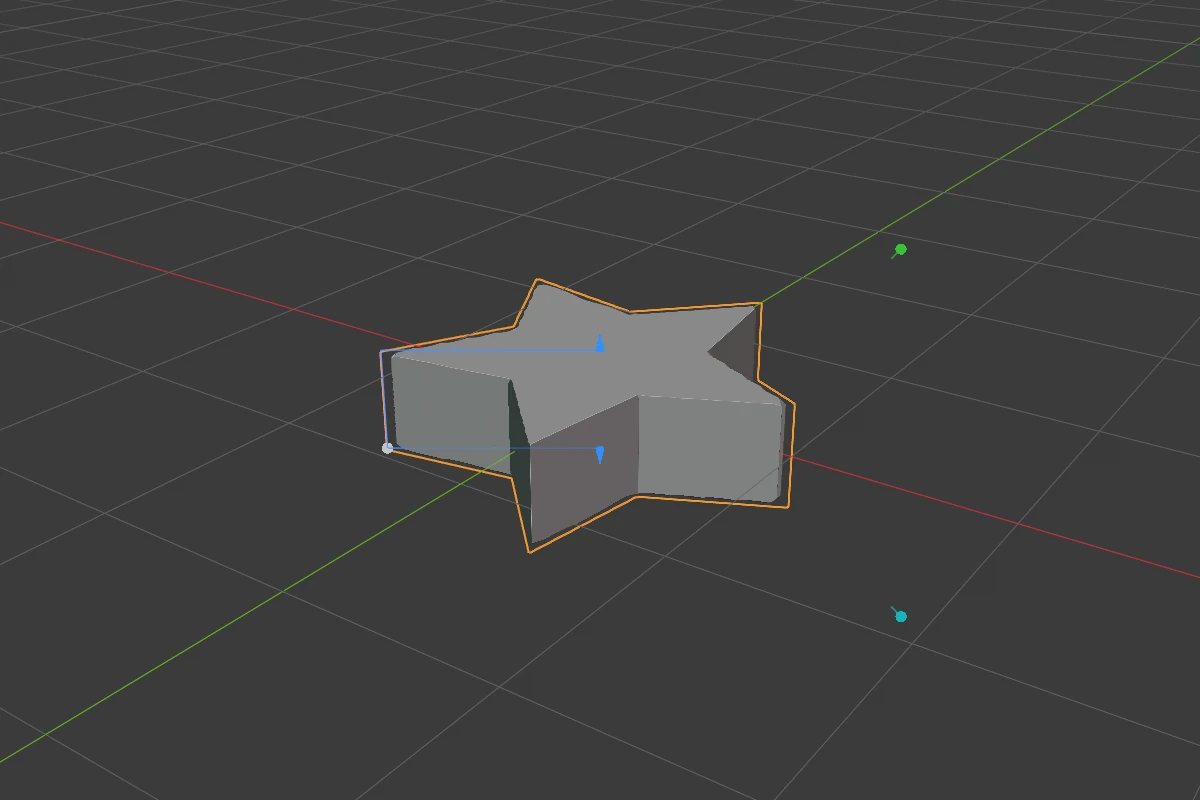
| Handle | Looks like | Drag | Keys while dragging |
|---|---|---|---|
| Height arrows | Two blue arrow heads on the top and bottom, joined by a U-shaped line | Moves that face. With Shift the opposite face stays | Ctrl snaps to 0.1 |
| Radius dot | A white dot at the lower corner of the U | Sets the Radius from the centre. With Shift the far side stays | Ctrl snaps to 0.1 |
| Side Rounding dot | A green dot at the upper right | Away from the shape: a larger Side Rounding | 1–6, I, O, S, Ctrl, Shift as on Box |
| Cap Rounding dot | A teal dot at the lower right | Away from the shape: a larger Cap Rounding | The same keys |
Right-click menu
Right-click ▸ Radius, Depth, Sides and Inner start a drag of that value. A Profile submenu picks the outline by name; there the Regular profile reads Polygon.
Redo panel
After adding, the redo panel (F9) has:
| Setting | Default | Range | What it does |
|---|---|---|---|
| Radius | 1 | > 0 | Radius of the star |
| Depth | 0.5 | > 0 | Height of the new shape |
| Align | World | World · View · 3D Cursor | Rotation of the new shape |
See also
- Prism
- NGon: any polygon, with corners you place
- Block Mode: draw a star in the viewport
- Rail: the same profiles swept along a path