
Lattice
Lattice bends and stretches a shape with a cage of points. Add it and a cage fits around the shape; drag any cage point in the viewport and the whole field sculpts along with it. No extra objects, no mode switching.
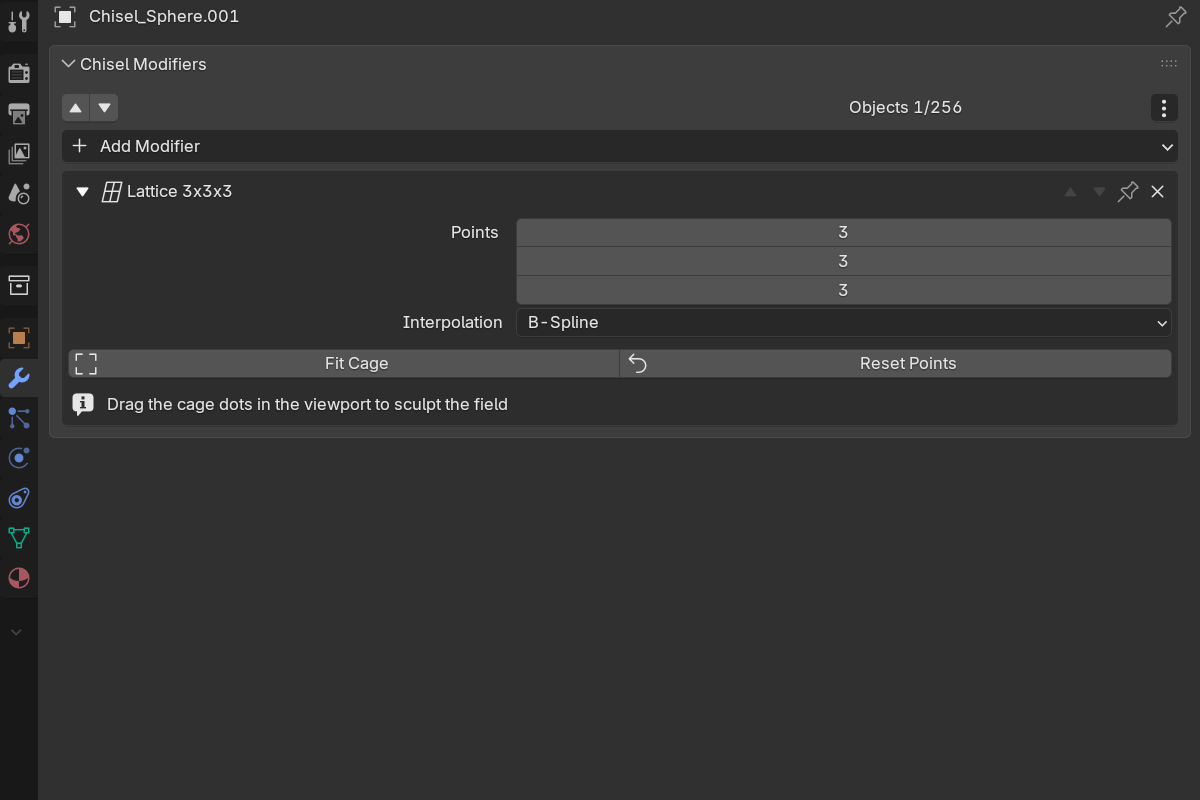
Adding a lattice
- Modifier panel: Add Modifier → Lattice
- Pie menu (
Q): the Lattice button in the South wedge’s modifier grid - Right-click menu: Modifiers → Lattice
Lattice is added to every selected shape, with a 3 × 3 × 3 cage fitted to the shape’s bounds. It goes to the end of the stack, so it deforms the finished shape.
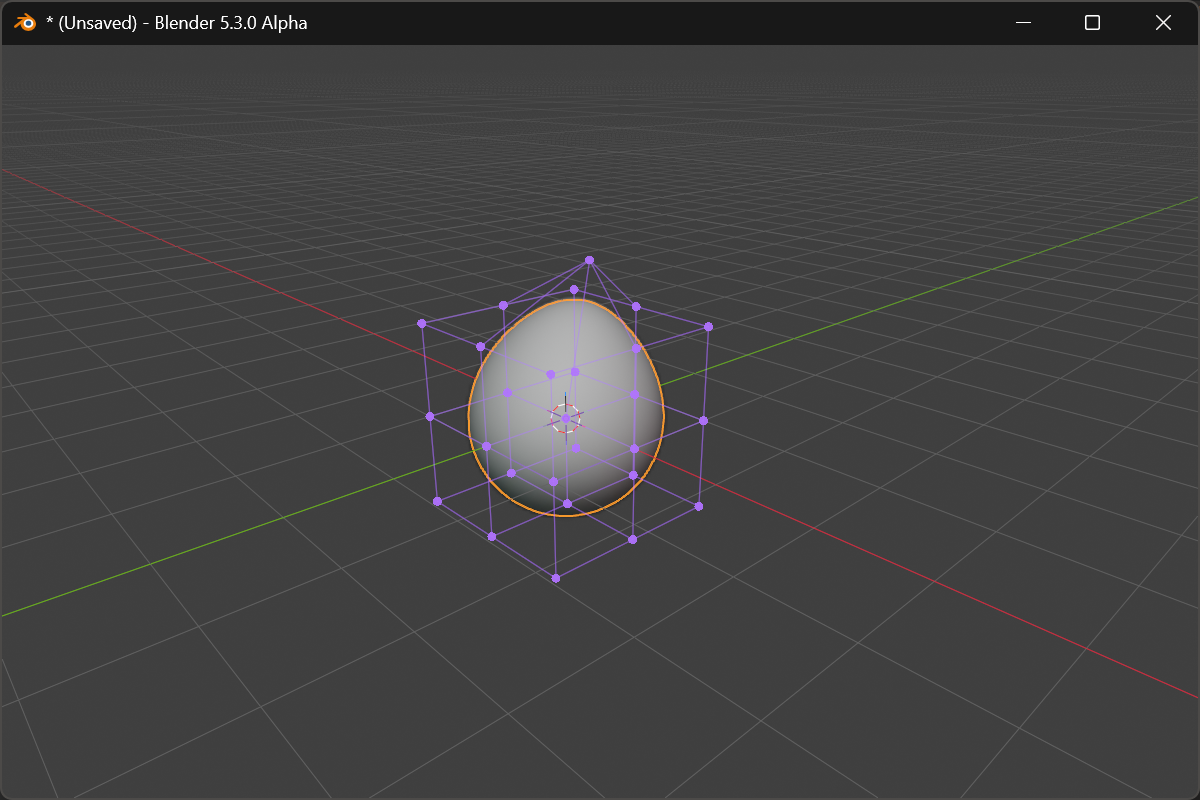
Editing the cage
With the object active and selected, the cage draws in the viewport as a violet wireframe with a dot on every control point. Drag a dot and the shape deforms live; the drag follows the view plane. Space, Enter or releasing the mouse confirms, RMB or Esc puts the point back. Parts of the shape outside the cage do not move.
Parameters
- Points: control points per axis, X / Y / Z, each
2–8(default3 3 3). Changing a count rebuilds the cage at rest. - Interpolation: how the field moves between control points: Linear, Cardinal, B-Spline (default, the smoothest), or Catmull-Rom. One family for all three axes.
- Fit Cage: refit the cage box to the shape’s current bounds after the shape changed. Control displacements reset, since the grid they anchored to has moved.
- Reset Points: return every control point to rest. The cage box stays where it is.
The pie’s East wedge shows a Lattice row with the three point counts and the interpolation dropdown; Fit Cage and Reset Points are panel-only.
Folding
A cage pushed past the point where it folds over itself breaks the surface into speckled holes and slows the render.
- While dragging, the point is held at the fold limit and its dot turns red.
- A cage that is already folded (from an old file, or after switching interpolation) draws all its dots red, and the modifier shows a warning in the panel, in its header, and in the pie:
This cage folds — the deformation has no inverse, so the shape breaks up here. Reset Points, or try a smoother interpolation.
Reset Points or a switch to B-Spline clears it. The drag guard can be turned off in Preferences → Debug → Lattice Fold Guard.
See also
- Sweep: Lattice is the way to taper or roll a finished sweep
- Twist & Bend: simpler single-axis deformers
- Render Engine: Gizmos: the Lattice Gizmo toggle
- Preferences: the Lattice Fold Guard