
Emboss & Engrave
Push a target shape outward (Emboss) or inward (Engrave) into the surface of the active object. The displacement carries the rounding profile of both the outer seam and the inner corner, so you get fillets where the feature meets the surface and where it meets itself.
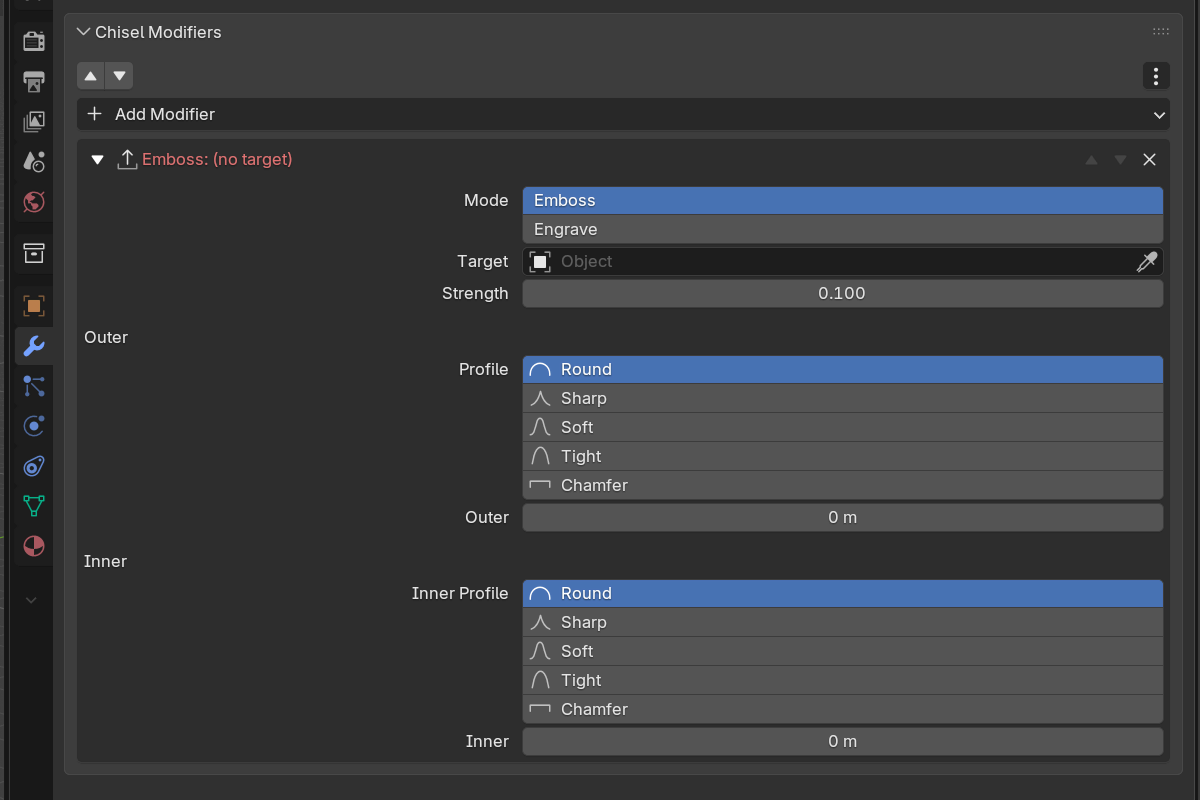
Two independent rounding controls in one modifier. Use them when, say, you want a sharp logo with softly-blended edges into the panel. Set the inner profile sharp and the outer profile round.

Emboss
Raises the stamp out of the host surface.

Engrave
Recesses the stamp into the host surface.
Parameters
- Target: the shape used as the displacement stamp. The field is a native object search box labelled Target; type or pick the stamp by name.
- Mode: Emboss (raise) or Engrave (recess)
- Strength: displacement amount (
0.0–10.0, soft max1.0, default0.1)
Outer edge (where the stamp meets the host surface)
- Blend Radius: fillet radius at the outer seam (
0.0–10.0, soft max2.0) - Blend Profile: Round / Sharp / Soft / Tight / Chamfer
- Blend Smooth (Chamfer only)
Inner edge (the corner of the embossed feature itself)
- Inner Radius: fillet radius at the corner of the feature (
0.0–10.0, soft max2.0) - Inner Profile: Round / Sharp / Soft / Tight / Chamfer
- Inner Smooth (Chamfer only)
The stamp’s colour follows the actual cut: an engraved pocket or an embossed bump takes the stamp’s material exactly as deep or as high as the strength says, with the colour seam softening along with Blend Radius. A Smooth modifier rounds the outer and inner edges but never changes the depth.
Setup
- Create the host object (the surface you want to emboss into).
- Create the stamp object (any Chisel primitive or modifier stack).
- On the host, add an Emboss (or Engrave) modifier.
- Set Target to the stamp.
- Tune Strength, then Blend Radius (outer) and Inner Radius (inner) to taste.
See also
- Boolean: for sharp cuts rather than displacements
- Carve: cut with a grown copy of the stamp instead
- Rounding & Blending: the five profiles
- Clean Mods: remove an Emboss or Engrave whose stamp was deleted