
Smooth
Smooth rounds the whole model with one radius. Every join, edge and bevel sharper than the radius rounds up to it; anything already rounder keeps its own value.
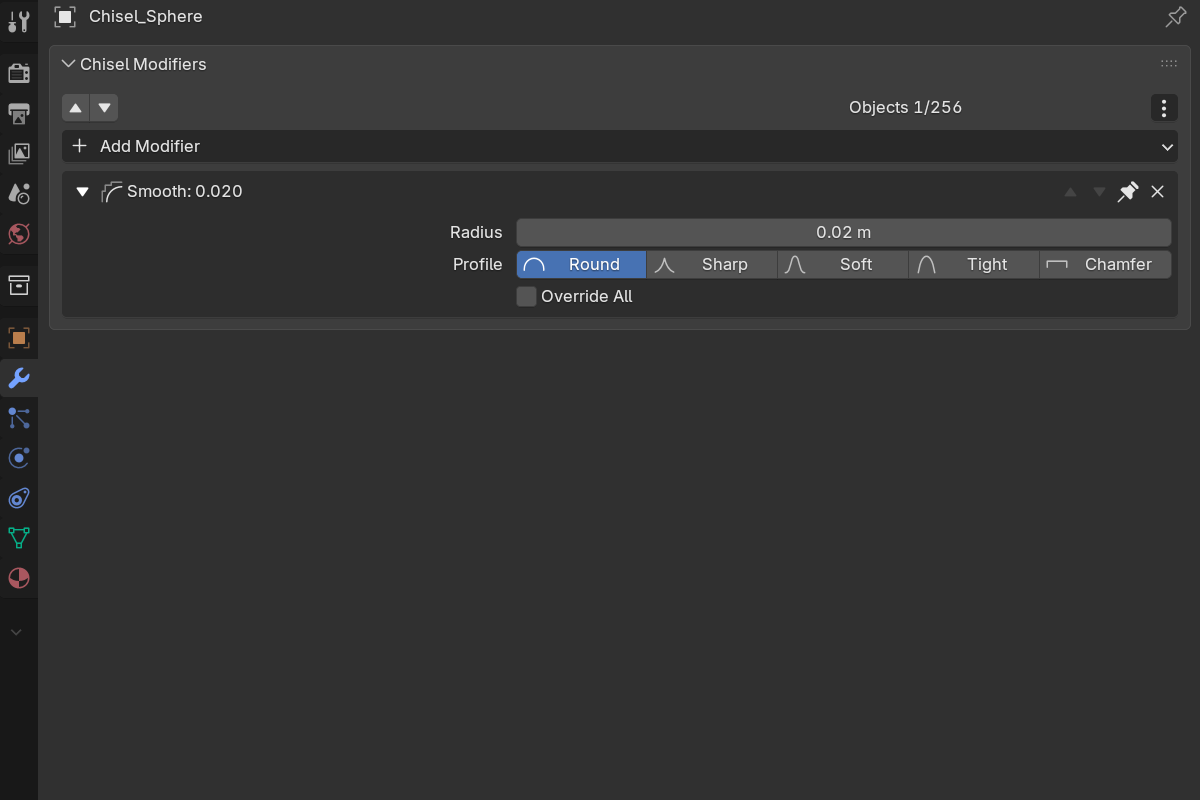
Adding a smooth
- Modifier panel: Add Modifier → Smooth
- Pie menu (
Q): the Smooth button in the South wedge’s modifier grid - Right-click menu: Modifiers → Smooth
Smooth is added to every selected Chisel shape. Each object takes one Smooth at most. Adding a second one reports “already has a Smooth modifier” and does nothing.
The new modifier is pinned at the bottom of the stack. Smooth reaches every join in the chain wherever it sits, so its position does not change the result. It does not count toward the chain’s modifier budget.
Parameters
- Radius: the minimum radius for everything in the chain (default
0.02, soft max2.0).0turns the modifier off completely: a model with Smooth at0renders exactly as one without it. - Profile: Round / Sharp / Soft / Tight / Chamfer, applied to every join the smooth drives. See Profiles.
- Smooth (Chamfer profile only): rounds the sharp edges of the chamfer.
- Override All: off by default. Off, the radius is a floor: it takes over anything sharper and leaves a hand-tuned wider fillet alone. On, the global radius and profile are forced onto everything, wider fillets included.
What it reaches
Everything sharper than the radius rounds up to it:
- boolean and carve joins
- bisect cut edges
- mirror seams and array joins (radius only; these keep their own shape)
- emboss and engrave edges, outer and inner
- each shape’s own edge rounding, and the bevel on prisms, trapezoids and oblongs
A single shape with no booleans smooths too: there is no join to blend, so Smooth rounds its edges.
Not affected: the depth of an emboss or engrave, the per-corner radii of a polyline bisect, and the per-corner rounding of an Ngon.
From the pie menu
With the smoothed object active, the East wedge shows a Smooth row: the five profile icons, the radius, and an All toggle that is Override All. Click the radius to drag it live:
| Key | Action |
|---|---|
| Drag | Adjust the radius |
| Shift | Precision |
| Ctrl | Snap to 0.1 (0.01 with Shift) |
1–5 | Round / Sharp / Soft / Tight / Chamfer |
Space / Enter / LMB | Confirm |
RMB / Esc | Cancel: radius and profile both go back |
See also
- Rounding & Blending: per-shape rounding and per-modifier blending, which Smooth sits on top of
- Boolean: the joins Smooth rounds most often
- Emboss & Engrave: edges smooth, depth does not